
Tiago Dias PereiraSoftware Engineer · Covilhã, Portugal

PT
Click to enterTap to enter

Tiago Dias Pereira, Software Engineer

Portrait of Tiago Dias Pereira

Tiago Dias Pereira

Software Engineer · Covilhã, Portugal

I am a Software Engineer working as a Backend Developer at STAR Junior Enterprise (Starje), where I developed an integration for the company's platform and I support the training of new trainees joining the team. I work mainly on backend, APIs and infrastructure. At the InfoWeb student association, a colleague and I set up the servers and services students use every day. I like building systems from scratch and seeing them in production.

Open to new opportunities as a Software Engineer.

About me

I have always been curious about how things work on the inside. I am passionate about cars, I build and repair computers as a hobby, and I have worked part-time as a mechanic. For that reason, Bancada, my final-year project for car repair shops, has a special meaning for me.

My path did not start in computing. I completed a vocational course in Hotel Reception at Escola Secundária Quinta das Palmeiras, with internships at the Penhas da Saúde Youth Hostel and at Hotel Dona Maria in Covilhã, where I worked. I gained experience in customer service and in organising information, and that work also helped me overcome my stutter and communicate better with people. In my free time, I play games and develop my own applications.

Overview

Role
Software Engineer
Education
Final-year student in Web, Mobile and Cloud Engineering
University
Universidade da Beira Interior
Location
Covilhã, Portugal

Projects

11 items

Experience

Work experience

  1. Backend Developer

    STAR Junior Enterprise (Starje)Current

    · Full-time

    • Development of an integration for Starje's platform.
    • Backend development, with a focus on APIs.
    • Training and mentoring the trainees who join the team.
  2. Software Engineer

    InfoWeb student association (UBI)Current

    · Part-time

    • As a team of two, we set up the association's infrastructure on our own servers: a single account with SSO for every service, email, files, hosting for members and game servers for the community.
    • I built the member hosting and the infoweb.pt website.
  3. Hotel reception internship

    Hotel Dona Maria, Covilhã

    · Internship

    • Organising and managing guest records and data.
    • Diagnosing and resolving problems and complaints.
    • Streamlining the check-in and check-out processes.
  4. Hotel reception internship

    Pousada da Juventude das Penhas da Saúde (youth hostel)

    · Internship

    • Customer service, in person and by email.
    • Administrative organisation of bookings, to keep the information in the system reliable.

Education

  1. Universidade da Beira Interior

    Final-year student in Web, Mobile and Cloud Engineering

Skills

Languages

  • JavaScript
  • TypeScript
  • Python
  • Java
  • SQL

Backend & data

  • Node.js
  • Express
  • REST APIs
  • SQL Server
  • PostgreSQL
  • MongoDB
  • Firebase

Frontend

  • HTML5
  • CSS3
  • React
  • Next.js
  • Tailwind CSS
  • Bootstrap
  • Figma

Infrastructure

  • Linux
  • Docker
  • Docker Compose
  • Oracle Cloud
  • Coolify
  • Traefik
  • Caddy
  • Cloudflare
  • Authentik (SSO)
  • GitHub Actions (CI/CD)
  • Better Stack

AI

  • LLM integration
  • Prompt engineering
  • Claude Code
  • Cursor

Tools

  • Git
  • GitHub
  • Cloudflare Pages
  • Android Studio

New Message

To:Tiago Dias Pereira

Sending opens your email app with the message ready to go. Or write directly to [email protected].

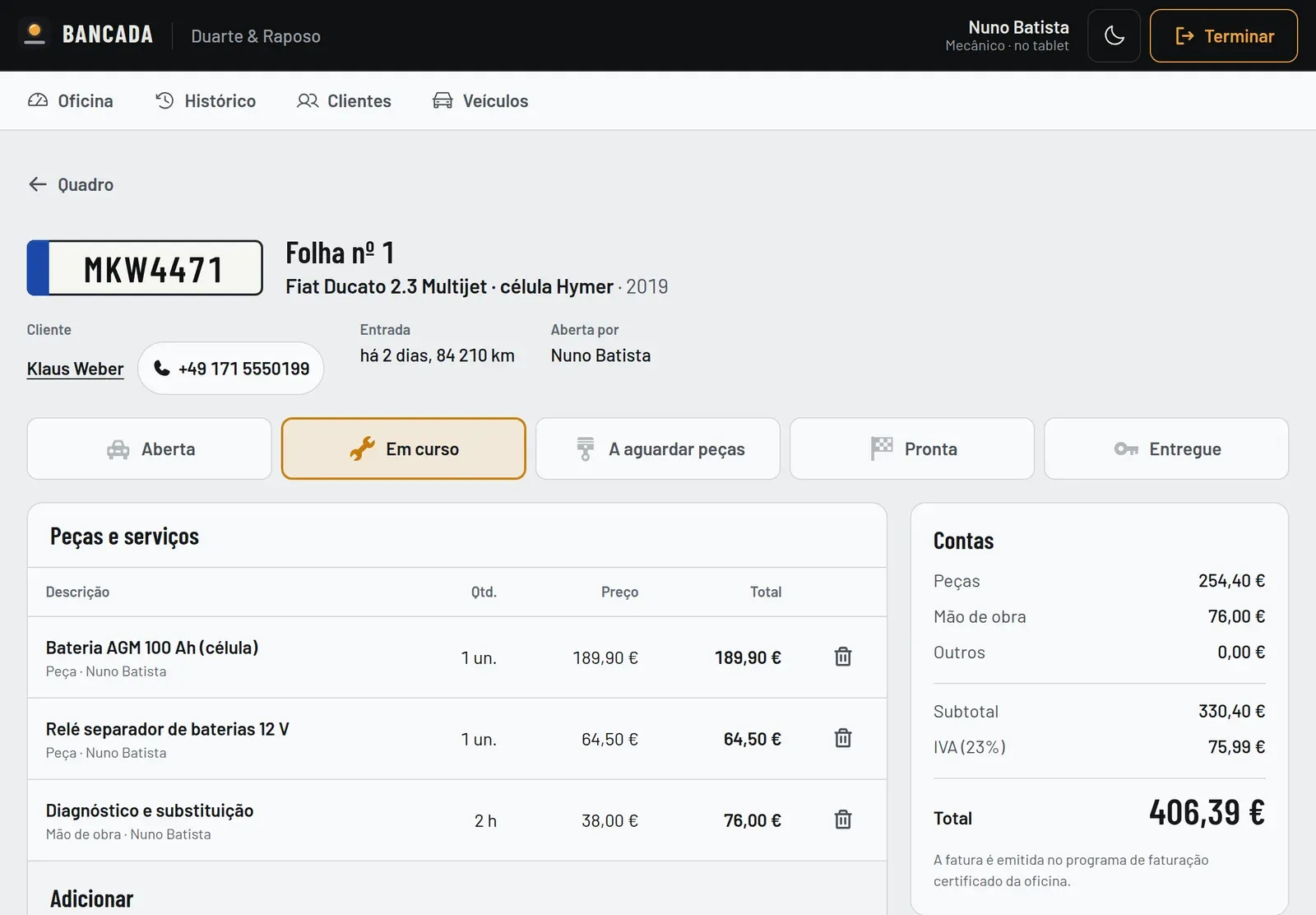
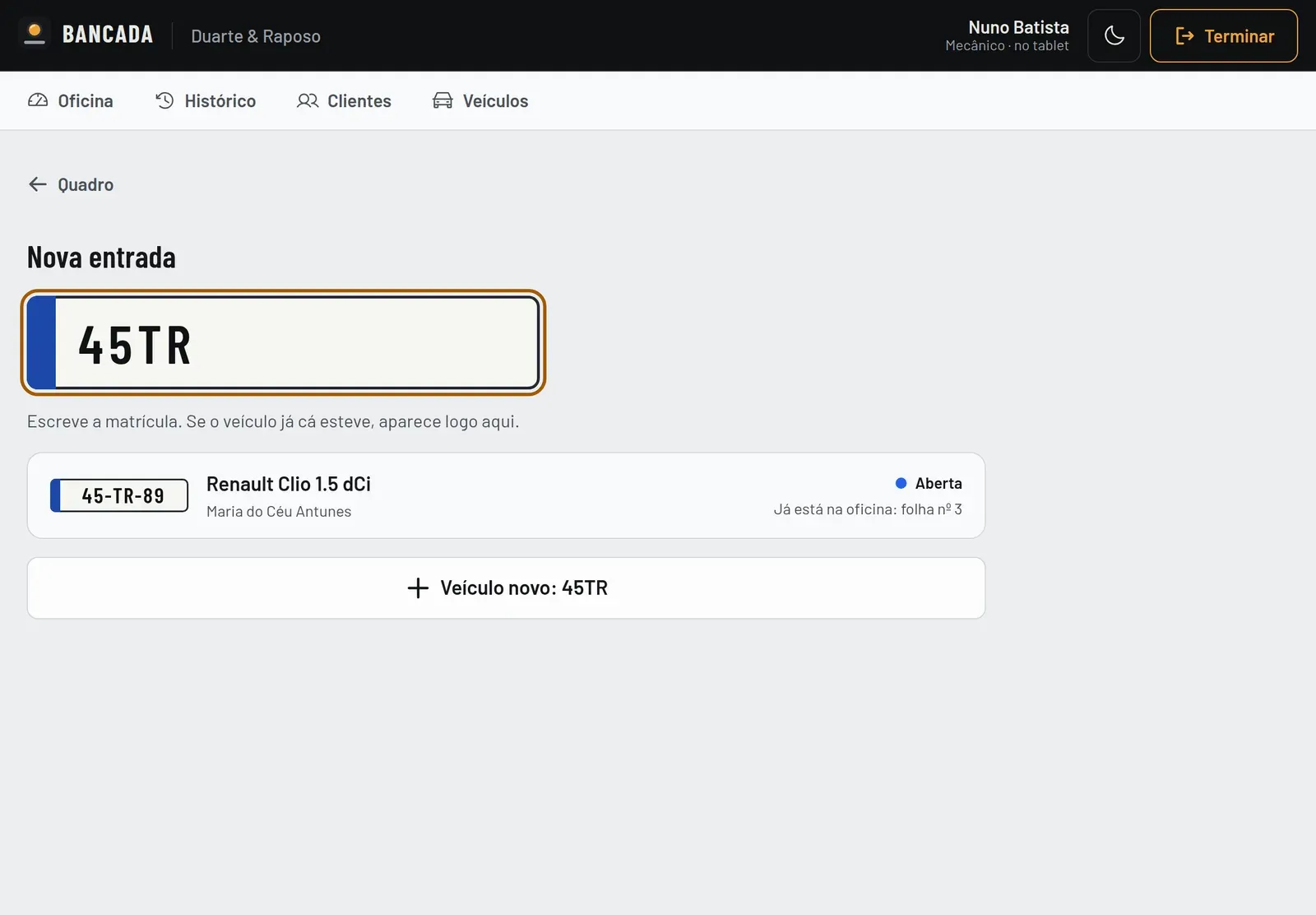
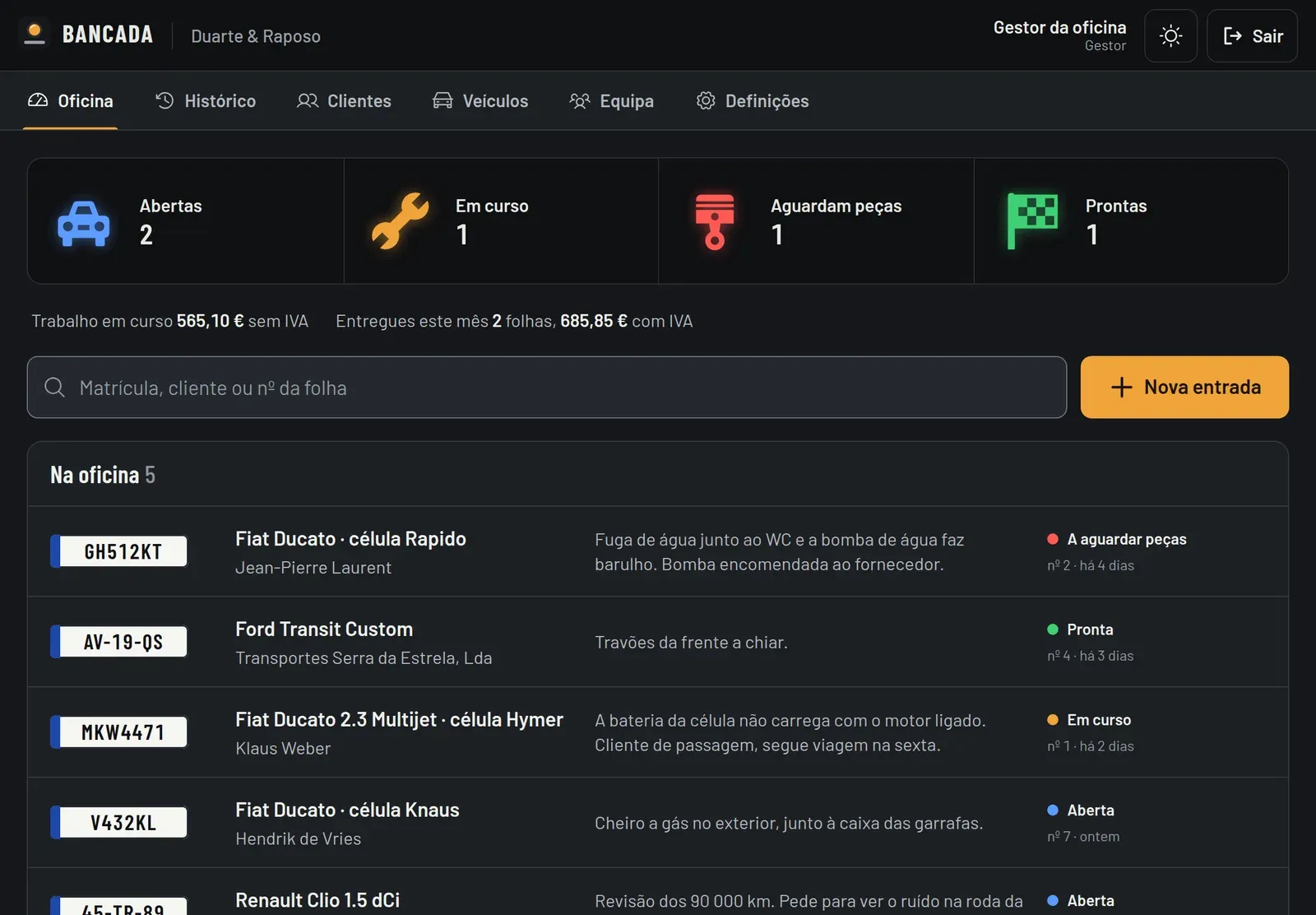
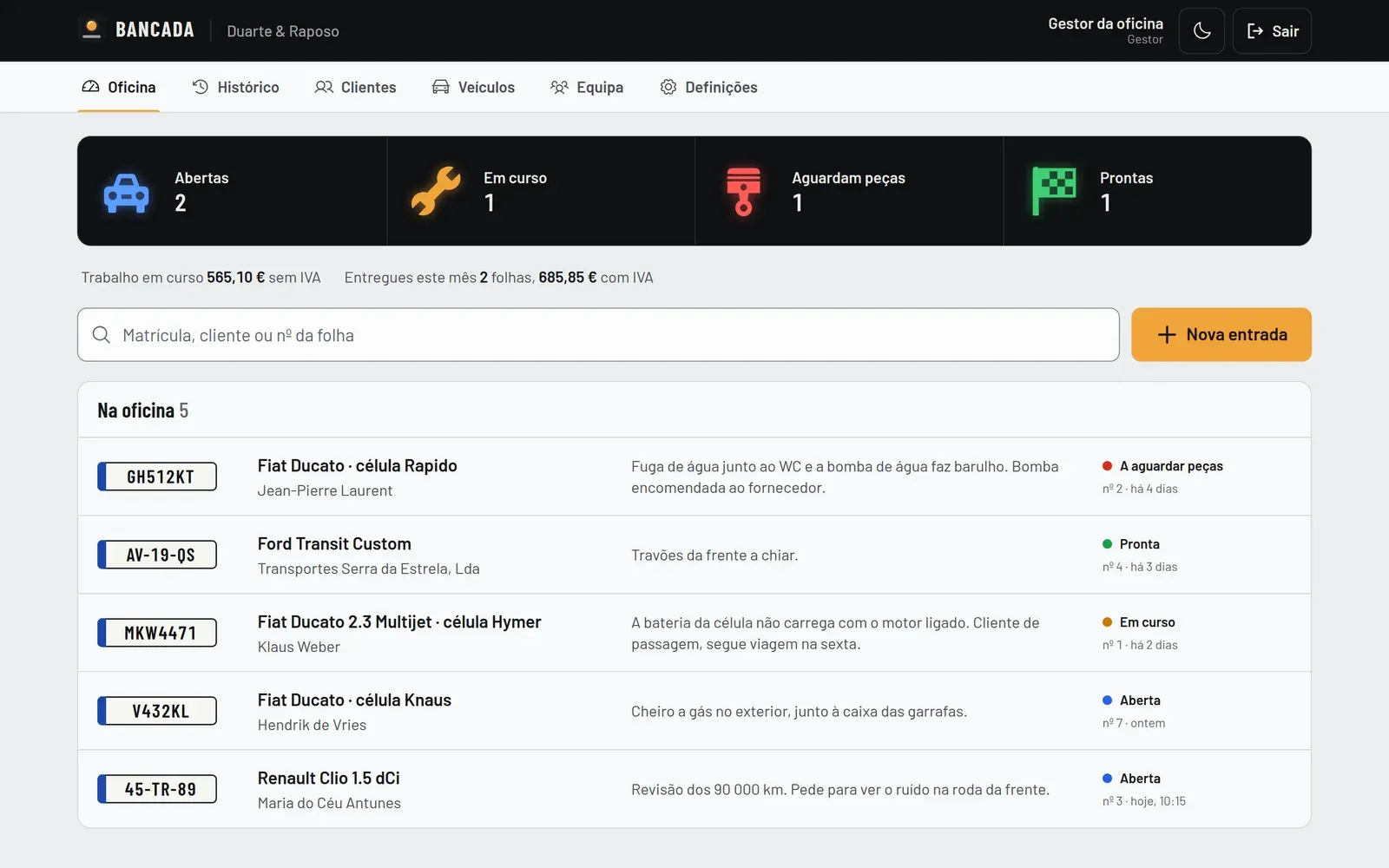
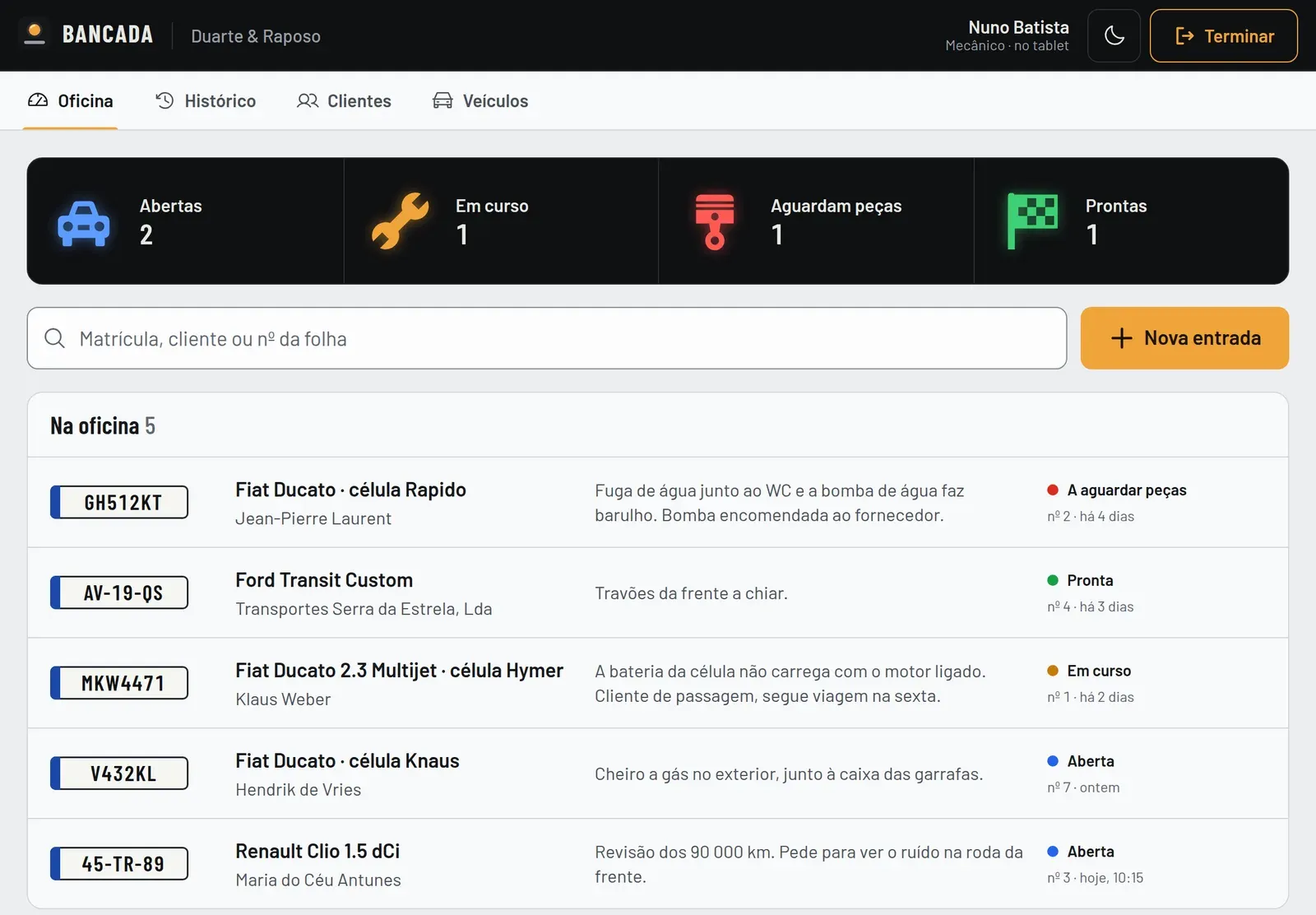
Bancada on a tablet, in light mode: the garage board with one light per status (open, in progress, waiting for parts and ready), the search, the Nova entrada (New entry) button and the list of vehicles in the garage.

Final-year project · 2026

Bancada

RoleFull-stack development

Digital job sheets for car repair shops. Still in development.

Key points

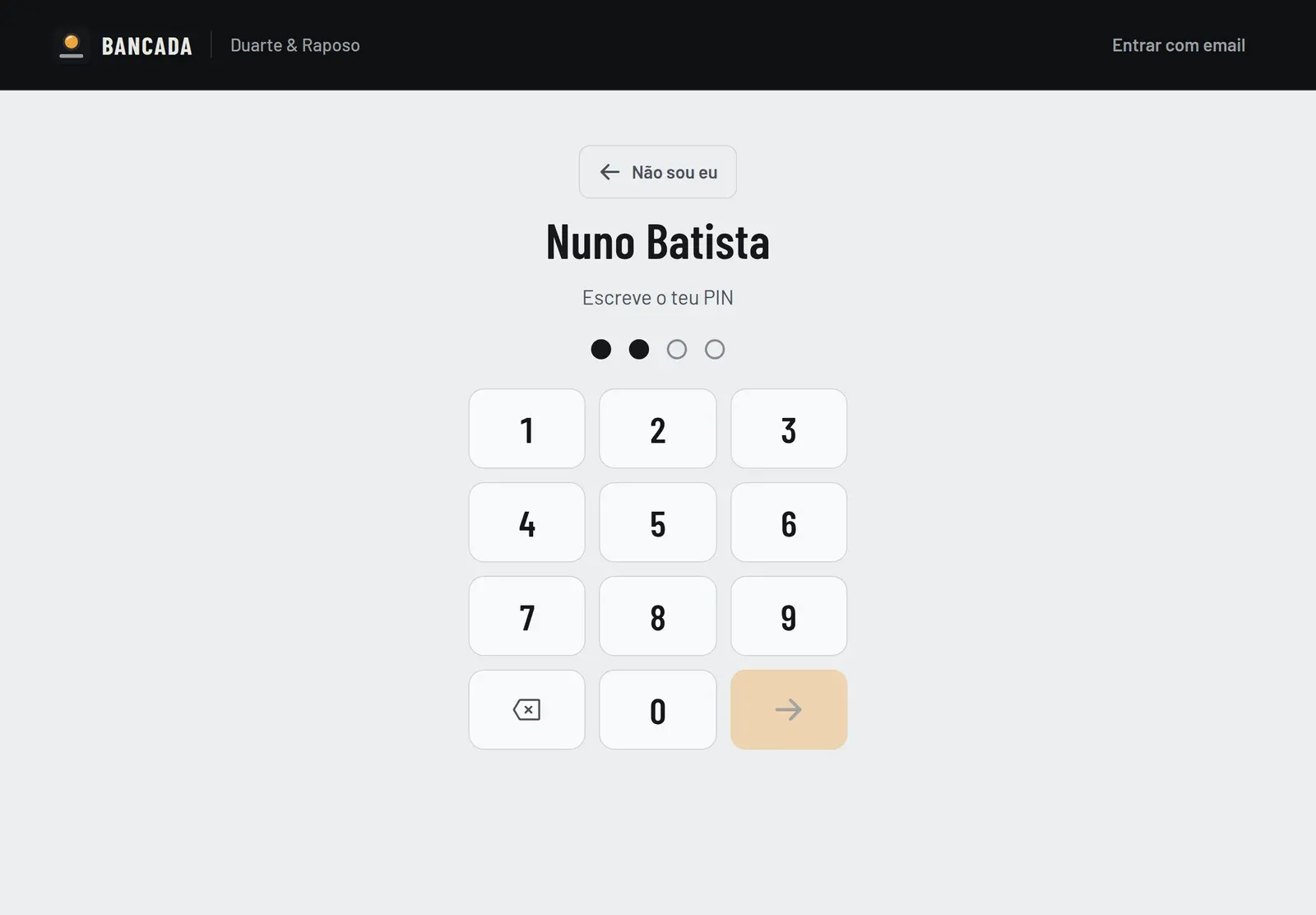
  • One shared tablet in the garage, with a PIN for each mechanic.
  • Several garages on one platform, with each one's data kept apart.
  • 52 tests against a real SQL Server on every pull request.
  • Designed for dirty or gloved hands: large touch targets and status lights readable from a metre or two away.
Read the full case study

Bancada replaces the paper job sheets used in car repair shops. It started at the Duarte & Raposo garage in Canhoso (Covilhã), where sheets got lost, got dirty and meant doing the sums by hand. It is my final-year degree project and it is still in development.

Problem

  • Job sheets were on paper: they got lost around the shop, got dirty, and it was hard to know what had been done to a car the year before.
  • At the end of each repair, the invoice totals were worked out by hand, and it was not always clear who had done what.
  • Several mechanics use the same tablet throughout the day, often with dirty hands or gloves on.

Technical decisions

  • A dedicated mode for the shared tablet: each mechanic signs in with their name and a PIN, what they log is recorded under their name, and the session ends on its own if the tablet sits idle.
  • The main screen works like a car's dashboard, with one light per repair status, readable from a metre or two away.
  • Totals and VAT calculated to the cent. Bancada does not issue invoices, because in Portugal that requires certified software; invoices still come from the shop's own program.
  • Several garages on the same platform, with each one's data kept apart in the API and in the database itself (SQL Server), through composite foreign keys, and tested against a real SQL Server.
  • Sessions in httpOnly cookies, passwords hashed with bcrypt, rate limiting per account and per IP, and a database user with no permission to delete records. A security review of the first version of the code, done with Claude Code, found flaws (for example, the author of a job sheet could be forged) that were fixed.

Results

  • The API and the interface are built and work on tablet, desktop and phone, with light and dark themes. It can be installed as an app (PWA), but it needs a network connection to show data.
  • 52 automated tests run against a real SQL Server on every pull request, on GitHub Actions. The backend has 93% of its lines covered.
  • I asked Claude Code for a quality, security and performance audit: it found no critical or high problems, and no accessibility violations across 13 screens in both themes. The minor issues are logged to be fixed.
  • I worked in three phases (June, July and September 2026). In the last one I used Claude Code as an assistant: the product decisions were mine, and the tools report explains what the assistant did and what I decided.
  • It has not yet been installed or tested at the garage: that is the next step, before it is used with real data.

Technologies

  • React
  • Node.js
  • Express
  • SQL Server
  • Docker
  • PWA
  • GitHub Actions

Screenshots
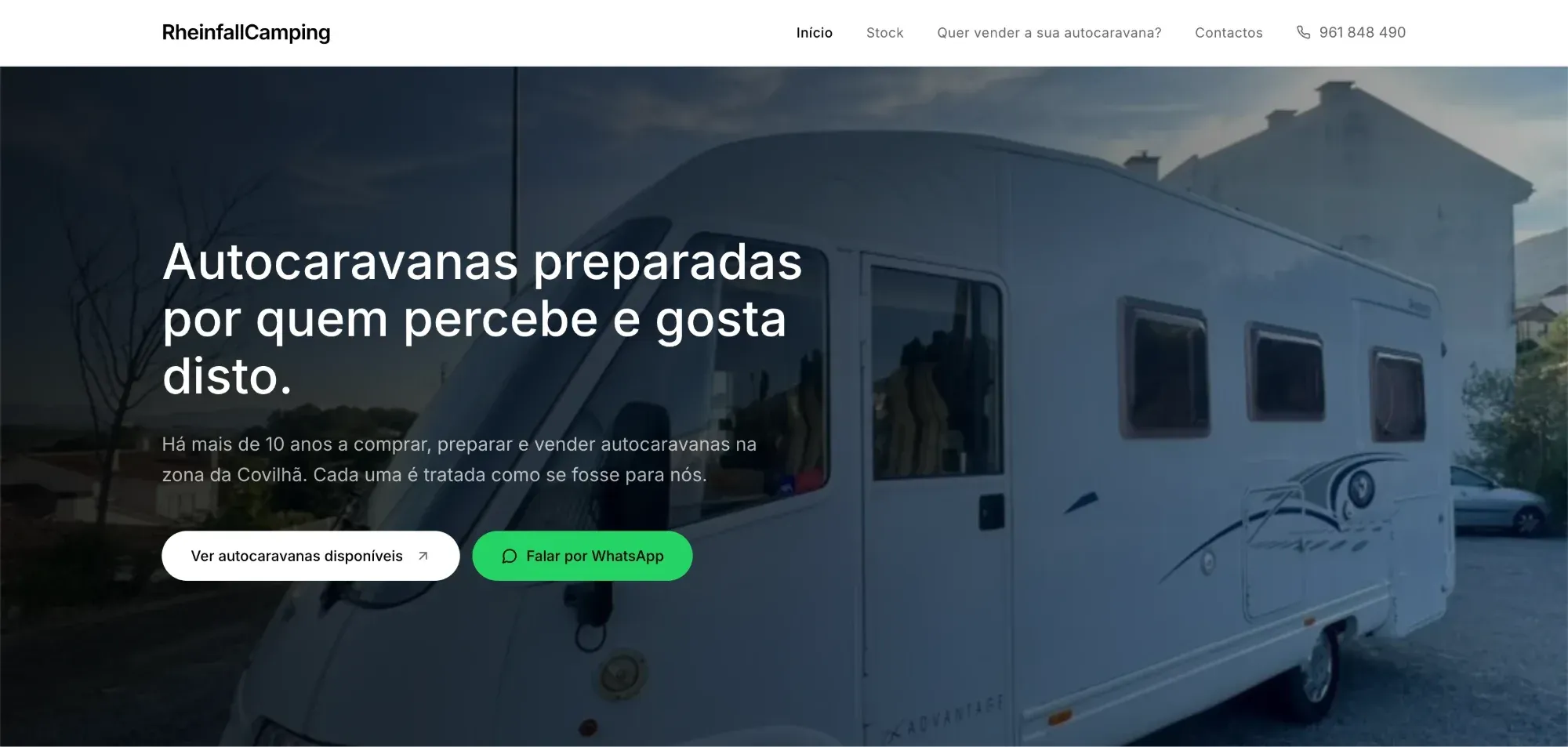
The rheinfallcamping.pt home page: the navigation (Início, Stock, Quer vender a sua autocaravana?, Contactos), the heading "Autocaravanas preparadas por quem percebe e gosta disto." over a photo of a motorhome, and the buttons "Ver autocaravanas disponíveis" and "Falar por WhatsApp".

Live site, built from scratch · 2026

RheinfallCamping

rheinfallcamping.pt (opens in a new tab)

RoleFull-stack development, built from scratch

The website for my family's used motorhome business near Covilhã.

Key points

  • A catalogue with filters and a page for each motorhome.
  • An admin area where the owner updates stock and photos without touching code.
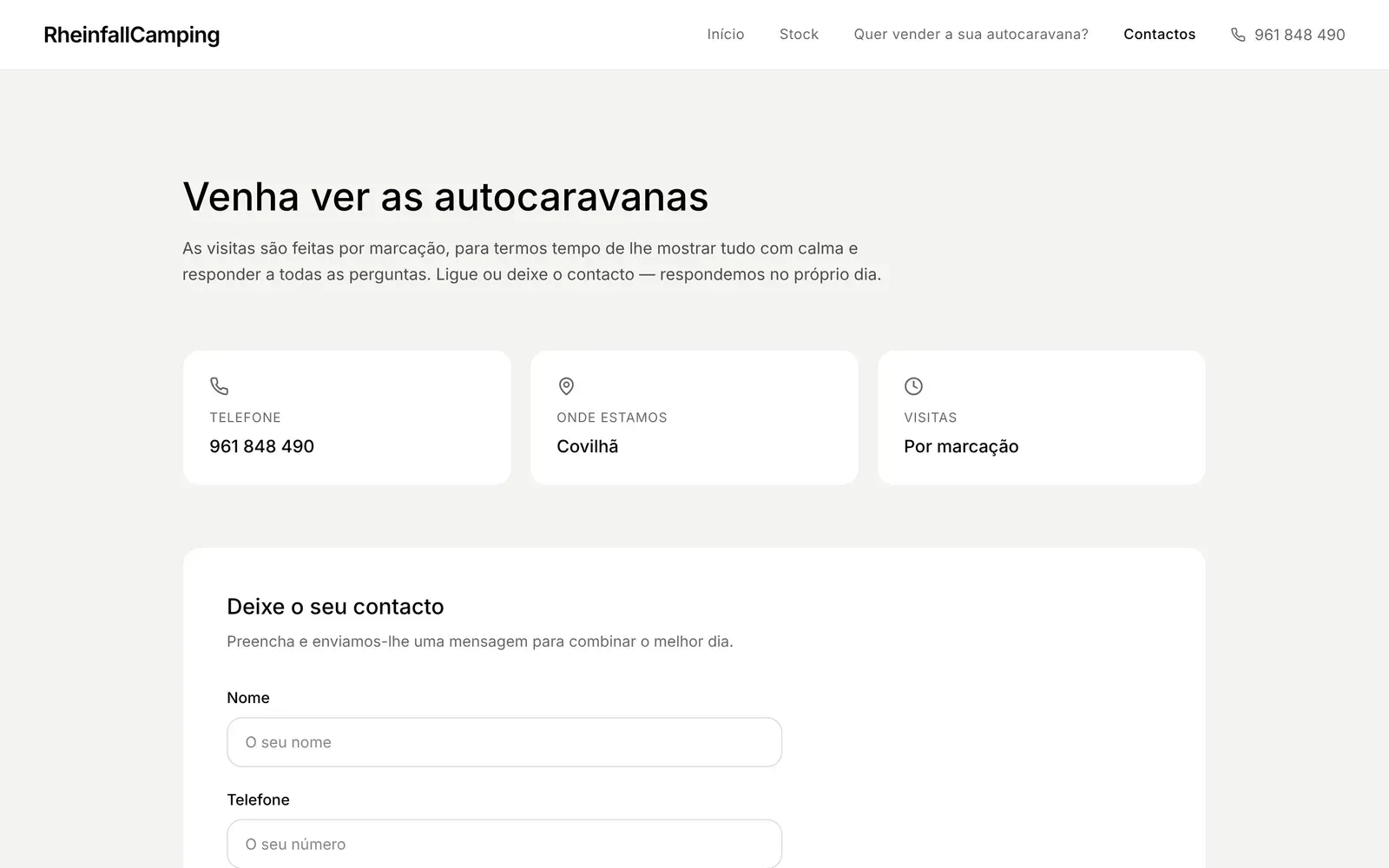
  • Contact forms that open WhatsApp with the message already written.
  • Live, built from scratch on my own.
Read the full case study

RheinfallCamping buys, prepares and sells used motorhomes near Covilhã. I built the website from scratch and on my own: visitors see the motorhomes with real photos and get in touch on WhatsApp, and the owner updates the stock without touching code.

Problem

  • Someone looking for a used motorhome wants to see real photos, the price and the equipment before travelling. Visits are always in person and by appointment, so the site has to build trust and start the conversation, not close sales.
  • Stock keeps changing and the person running it is not a programmer: they had to be able to add a motorhome and its photos on their own, from a phone.
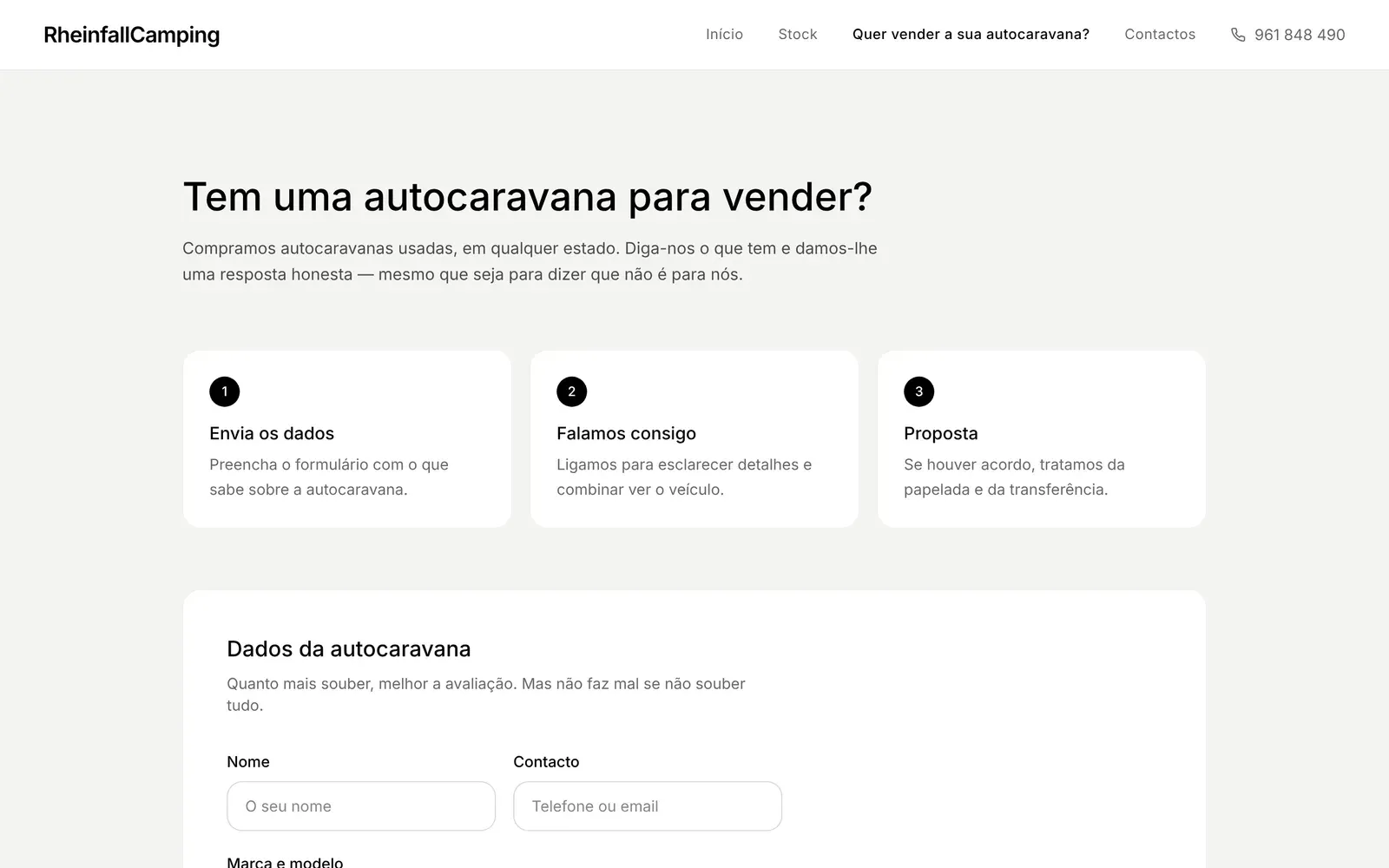
  • People who want to sell their motorhome also need a simple way to get in touch.

Technical decisions

  • A catalogue with filters by price, year and brand, a page for each motorhome with a gallery and specifications, and sale statuses (for sale, coming soon and sold).
  • The contact, offer and sell forms open WhatsApp with the message already written, because that is the channel customers use. The site never sells or reserves anything: visits are still booked.
  • Stock lives in Firestore, so changing data does not require publishing the site. The /admin area has a login and lets the owner add, edit and remove motorhomes, with photo upload.
  • All writes go through Cloud Functions that check the caller is an admin, validate the data and rate-limit requests (3 sell requests per hour per IP). Firestore is closed to direct writes and photos go to Cloudinary with a signature, so the secret never reaches the browser.
  • Analytics cookies are optional: Google Analytics only loads once the visitor accepts, and the site has privacy and terms pages.

Results

  • The site is live at rheinfallcamping.pt, hosted on Cloudflare Pages, and publishes automatically on every push to main.
  • Stock management was designed for someone who is not a programmer: it is all done in /admin, behind a login, without touching code.
  • The contrast of all public text was reviewed to meet WCAG level AA.

Technologies

  • React
  • TypeScript
  • Vite
  • Tailwind CSS
  • Firebase
  • Cloudinary
  • Cloudflare Pages

Screenshots
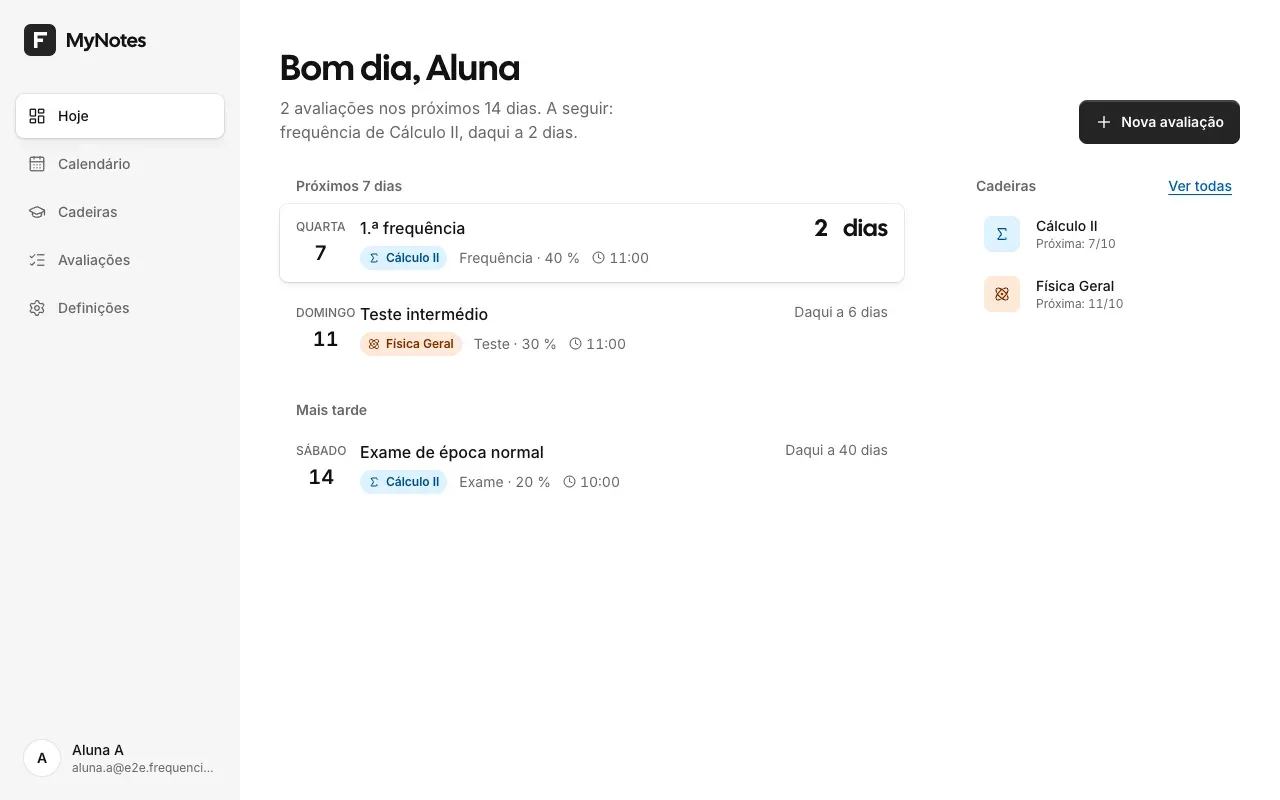
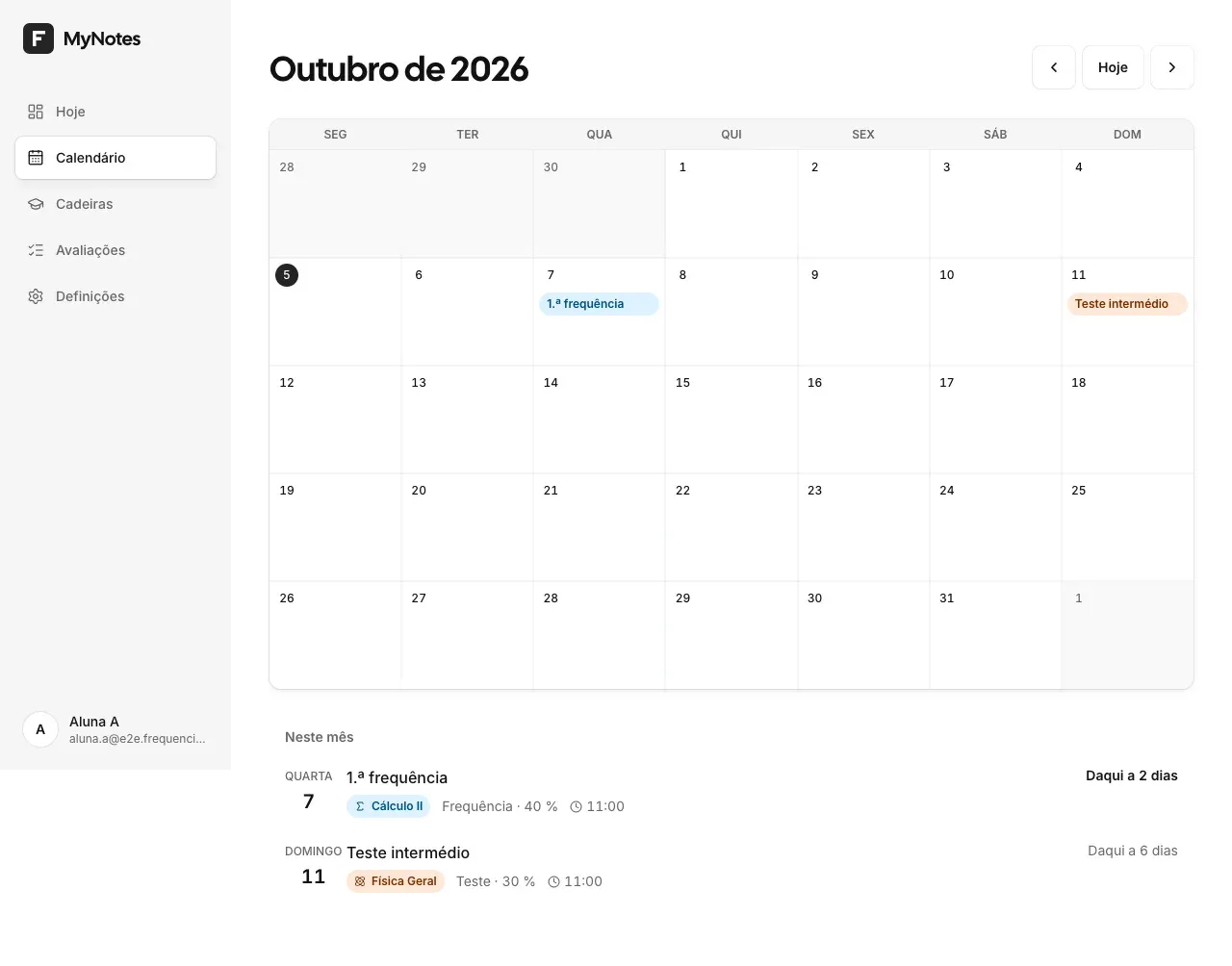
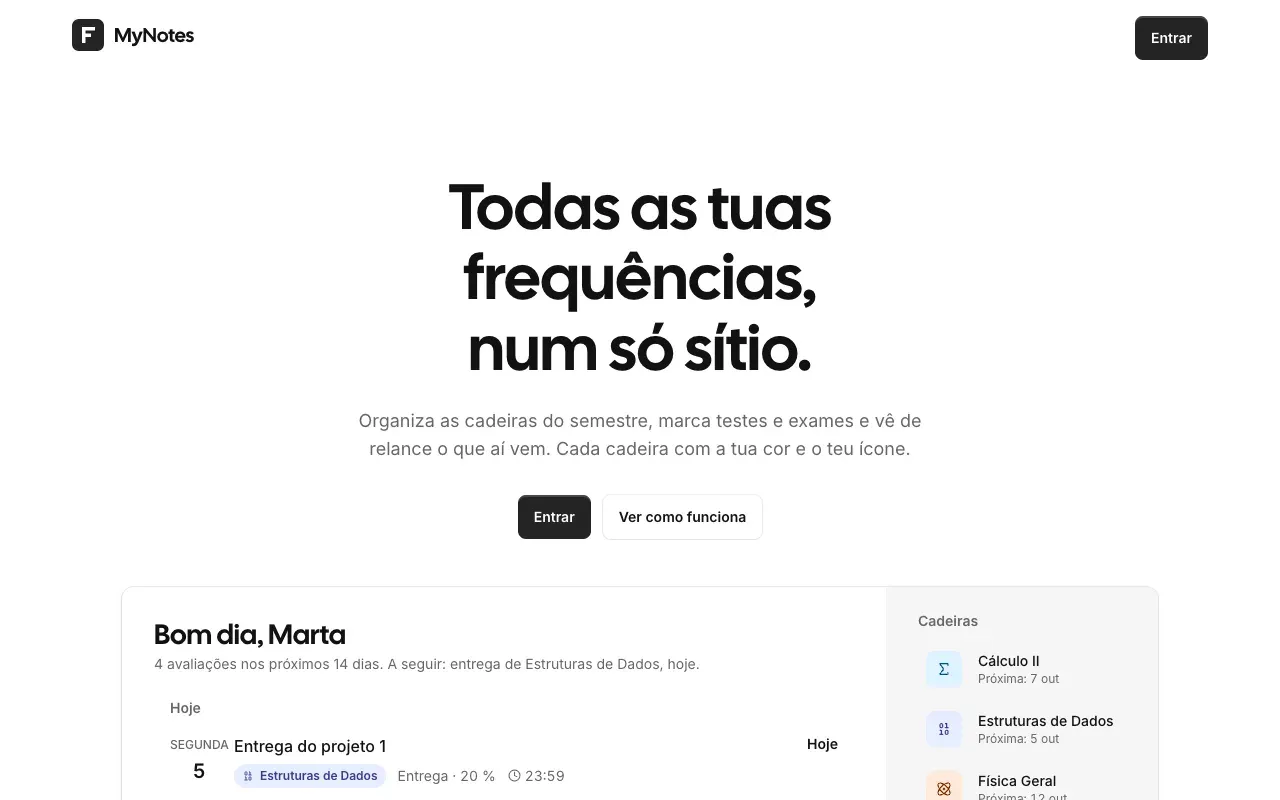
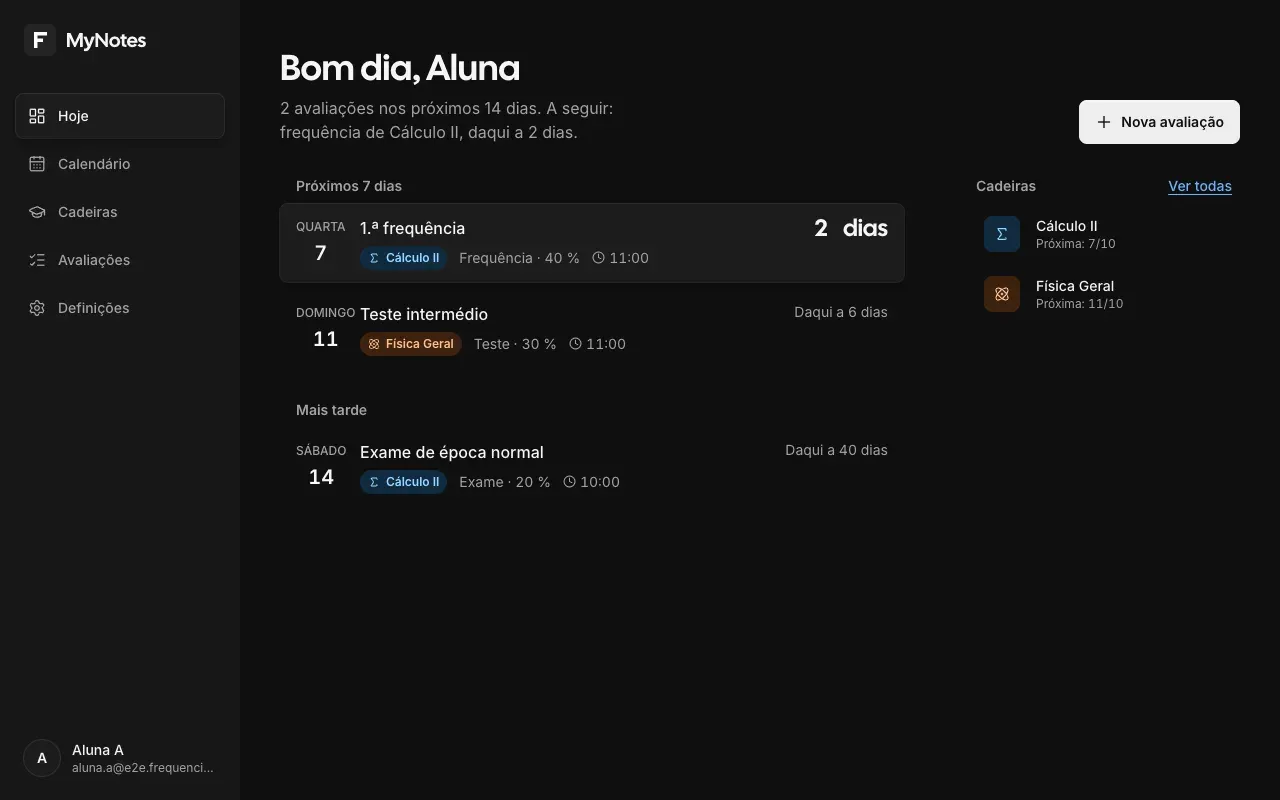
MyNotes, Today page: "Bom dia, Aluna" (Good morning), the assessments in the next 7 days (a Calculus II mid-term and a General Physics test), the ones coming later and the courses.

Personal project, in development · 2026

MyNotes

RoleArchitecture, full-stack development and infrastructure, from scratch

A dashboard for university students to organise their semester. Still in development.

Key points

  • Courses, assessments and weighted averages, in a calendar and a list.
  • Architecture and infrastructure built from scratch: Docker Compose with the app, PostgreSQL, Authentik and Caddy (automatic HTTPS), ready for its own server.
  • Sign-in through a self-hosted Authentik, and each student only sees their own data.
  • 100 end-to-end, accessibility and visual regression tests.
Read the full case study

MyNotes organises a Portuguese university student's semester: the courses and everything that has a date in them (mid-terms, tests, exams and deadlines), in a calendar and in a list. It is a personal project, still in development, designed for several users with their data kept apart.

Problem

  • A semester has several courses, each with mid-terms, tests, exams and deadlines on different dates, and it is easy to be caught out.
  • A generic calendar or a to-do app knows nothing about Portuguese academic life: course, semester, ECTS credits, mid-term, test, exam and exam period.
  • The app has to serve several students, each with their own data, on the phone between classes and on the laptop at home.

Technical decisions

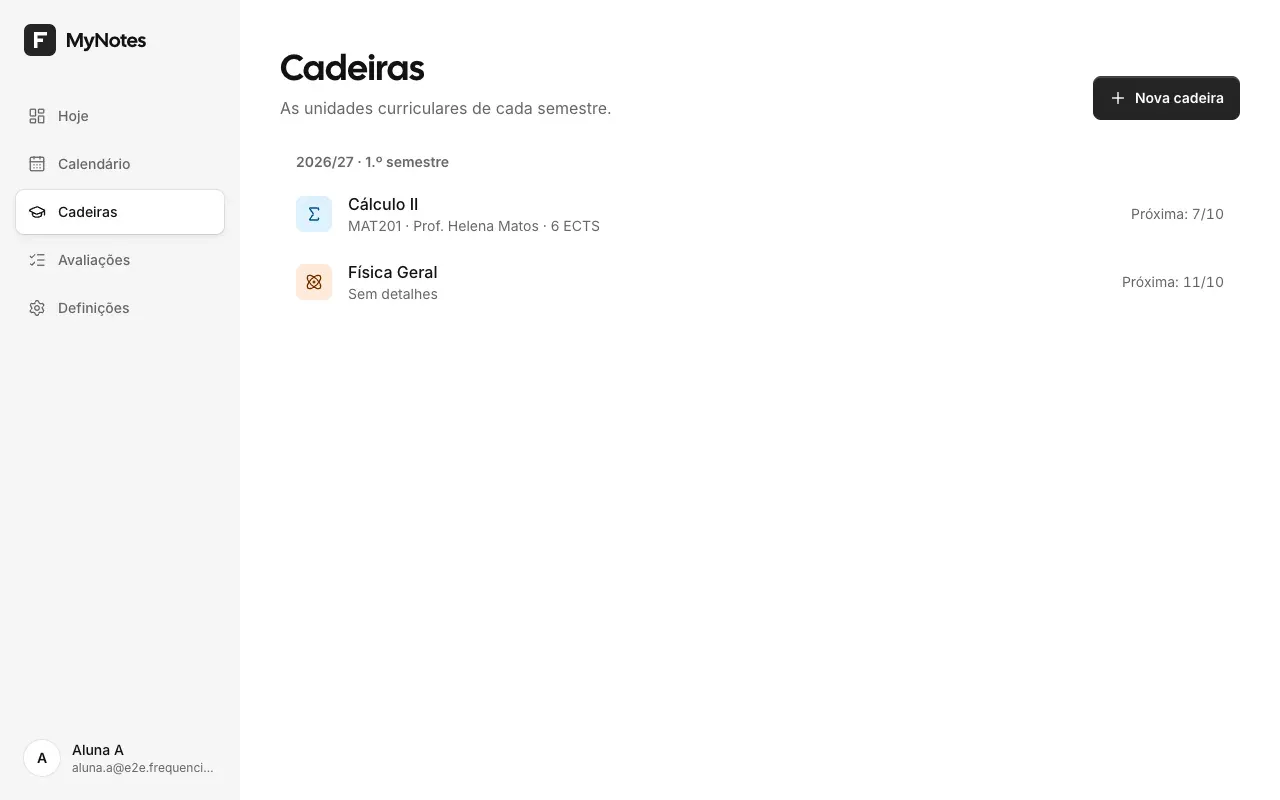
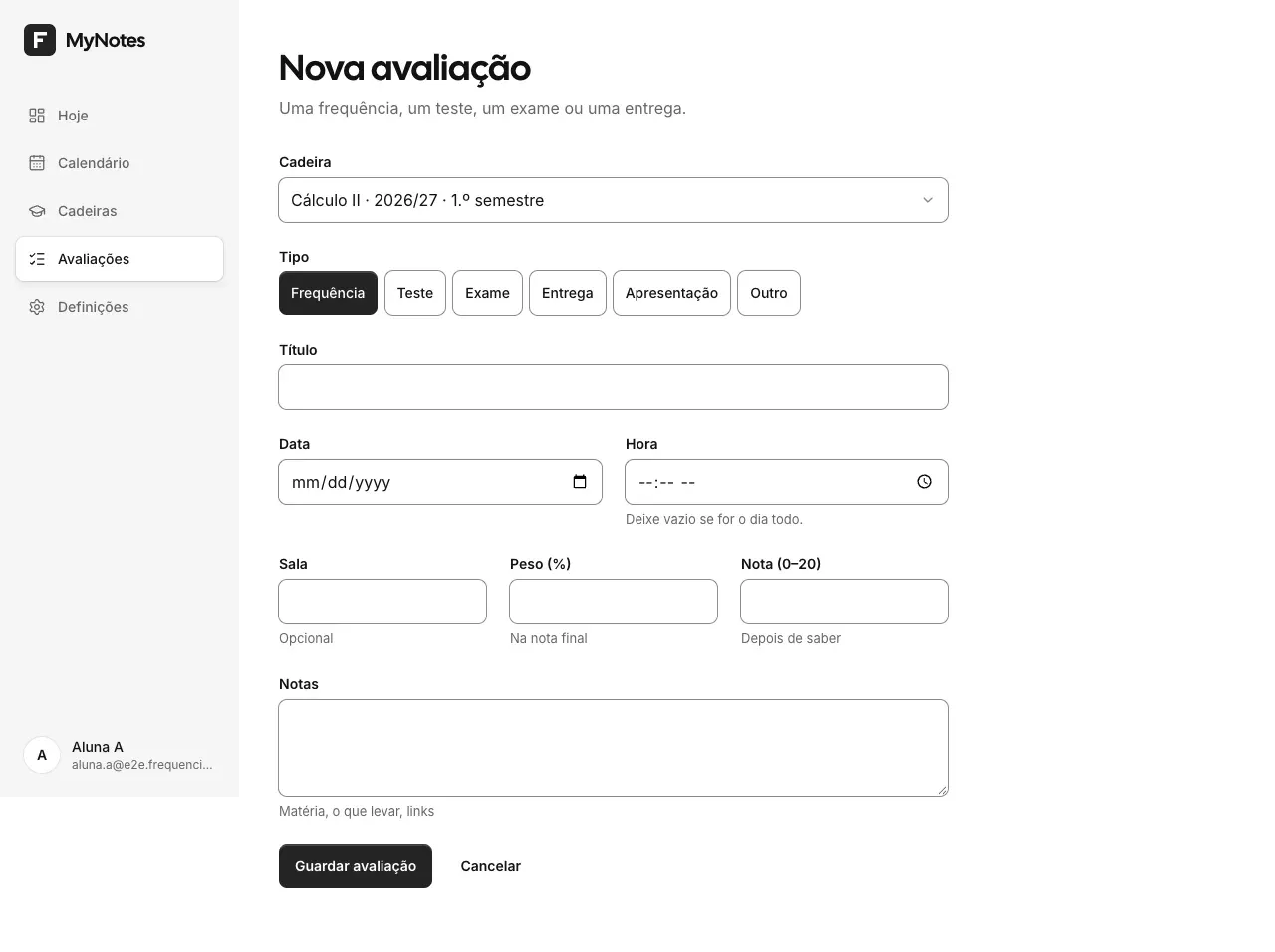
  • The data model is the university's: each course has a name, colour, icon, lecturer, ECTS credits and semester, and each assessment has a type, date, weight and grade. The colour and icon are the user's, and the rest of the interface stays neutral so the course colours stand out.
  • Authentication goes through an Authentik server of my own (OIDC with PKCE), connected to the app through Better Auth.
  • The app is built with Next.js 16, using Server Components and Server Actions to send as little JavaScript as possible to the browser, with PostgreSQL and Drizzle. It is set up to run on Docker Compose, with Caddy handling HTTPS.
  • Every database query filters by the signed-in user, and a test checks the isolation between users.
  • The work moves forward in sprints, one at a time, with the help of Claude Code. The documentation (docs/ and AGENTS.md) records the current state, the decisions and what is missing, so anyone, or any AI tool, can pick the project up.

Results

  • Version 1 works: real sign-in through Authentik, courses and assessments, a monthly calendar and a list, and a weighted average per course, across 12 pages (2 public and 10 in the dashboard).
  • There are end-to-end, accessibility (axe, WCAG 2.2 AA) and visual regression tests, on desktop and mobile and in the light and dark themes: 100 tests passed on 3 October 2026.
  • It is not in production yet. Markdown notes with photos, reminders and a WhatsApp bot are left for later.

Technologies

  • Next.js
  • React
  • TypeScript
  • Tailwind CSS
  • PostgreSQL
  • Drizzle ORM
  • Better Auth
  • Authentik
  • Docker
  • Playwright

Screenshots
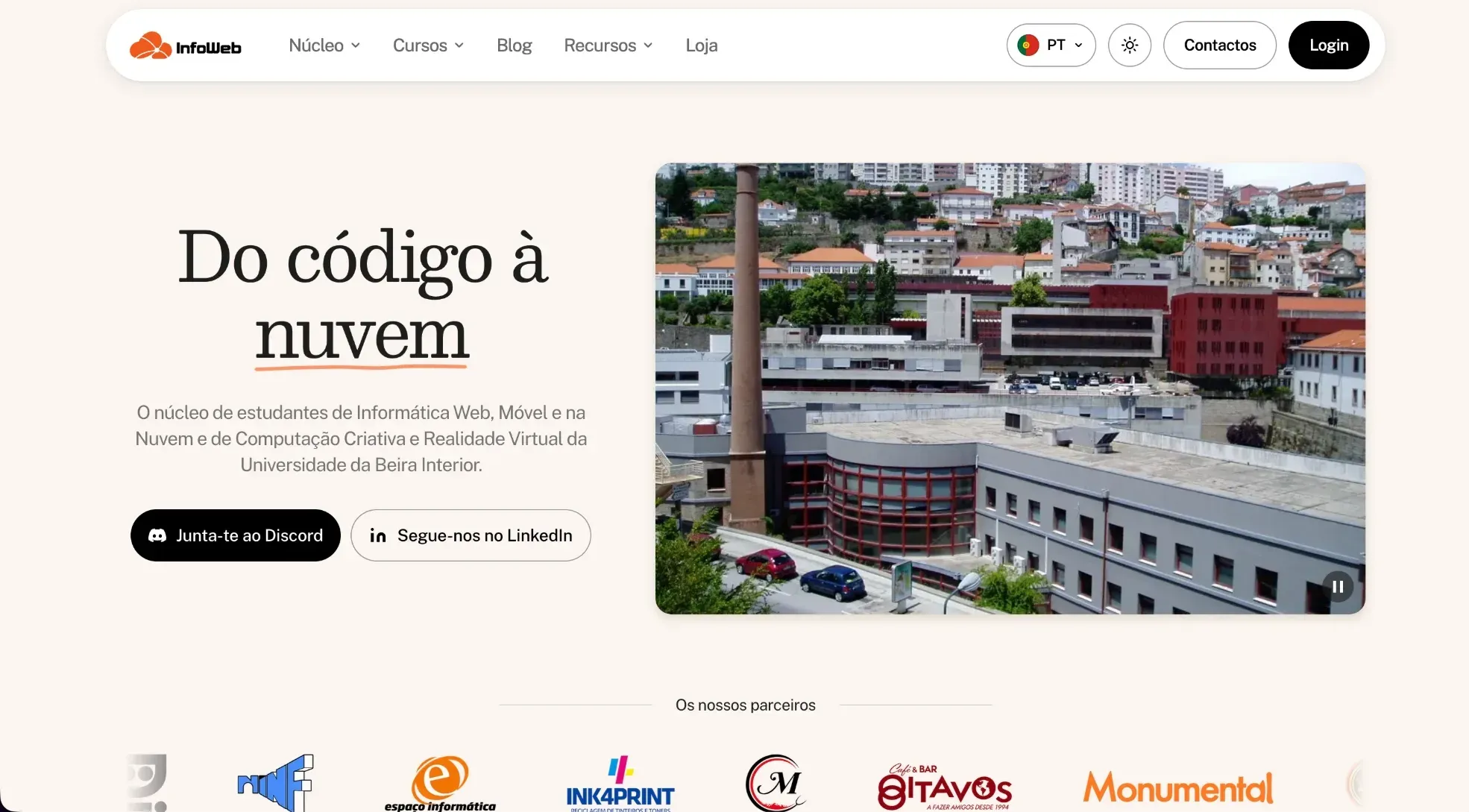
The InfoWeb website home page in light mode: the pill navbar, the heading "Do código à nuvem", the Discord and LinkedIn buttons, a photo of UBI and the partners carousel.

Infrastructure, community and website of the student association, built by a team of two · 2026

InfoWeb infrastructure

infoweb.pt (opens in a new tab)

RoleTeam of two: the servers and services, member hosting, the community game servers and the website (design, pages, blog, three languages, dark mode and contact form)

As a team of two, we set up everything UBI's computing student association uses day to day: its own servers, a single account, @infoweb.pt email, files, hosting for members, Minecraft and CS2 servers for the community and the infoweb.pt website.

Key points

  • Two servers and a single account for all of the association's services.
  • @infoweb.pt email, files, tasks and a password vault.
  • Hosting for members, and Minecraft and CS2 servers for the community.
  • The infoweb.pt website, in three languages, with the dark mode built by me.
Read the full case study

InfoWeb is the student association for the Web, Mobile and Cloud Computing and the Creative Computing and Virtual Reality degrees at UBI. As a team of two, we set up the infrastructure the association uses every day: two servers on Oracle Cloud, a single account for every service, @infoweb.pt email, files, tasks, a password vault, hosting for members, Minecraft and CS2 servers for the community and the infoweb.pt website, live since 4 October 2026. The website's dark mode is my work.

Problem

  • A student association changes its team every year. So nothing that belongs to the association can depend on the account of whoever is there: email, files and passwords have to pass from one committee to the next without anything getting lost.
  • Members and the team needed the association's own tools: @infoweb.pt email, shared files, tasks and a place to put their own sites and projects.
  • Beyond the tools, the association wanted to give the community places to meet: an official website in three languages and game servers to play together.

Technical decisions

  • Two Ampere (ARM) servers on Oracle Cloud: one runs the association's services and the other is only for member hosting, so whatever each member puts there stays apart from everyone's services.
  • The services run in containers managed by Coolify, behind Traefik, with automatic certificates and DNS on Cloudflare. Every version is pinned and updates follow a monthly routine, always with a backup first.
  • A single account (Authentik), with two-step verification, opens every service. Access comes from groups and roles: when someone changes role or leaves the association, their access follows on its own, with no passwords handed from person to person.
  • @infoweb.pt email with its own server (Stalwart) and webmail (Roundcube); files and Office in the browser with Nextcloud and Collabora; tasks in Plane; and each department's passwords in a Vaultwarden vault.
  • Member hosting with Pelican: each member gets their own server, with 512 MB of RAM, half a core, 3 GB of disk and a MariaDB database, to put a site or a small application online.
  • For the community, we created Minecraft and Counter-Strike 2 servers.
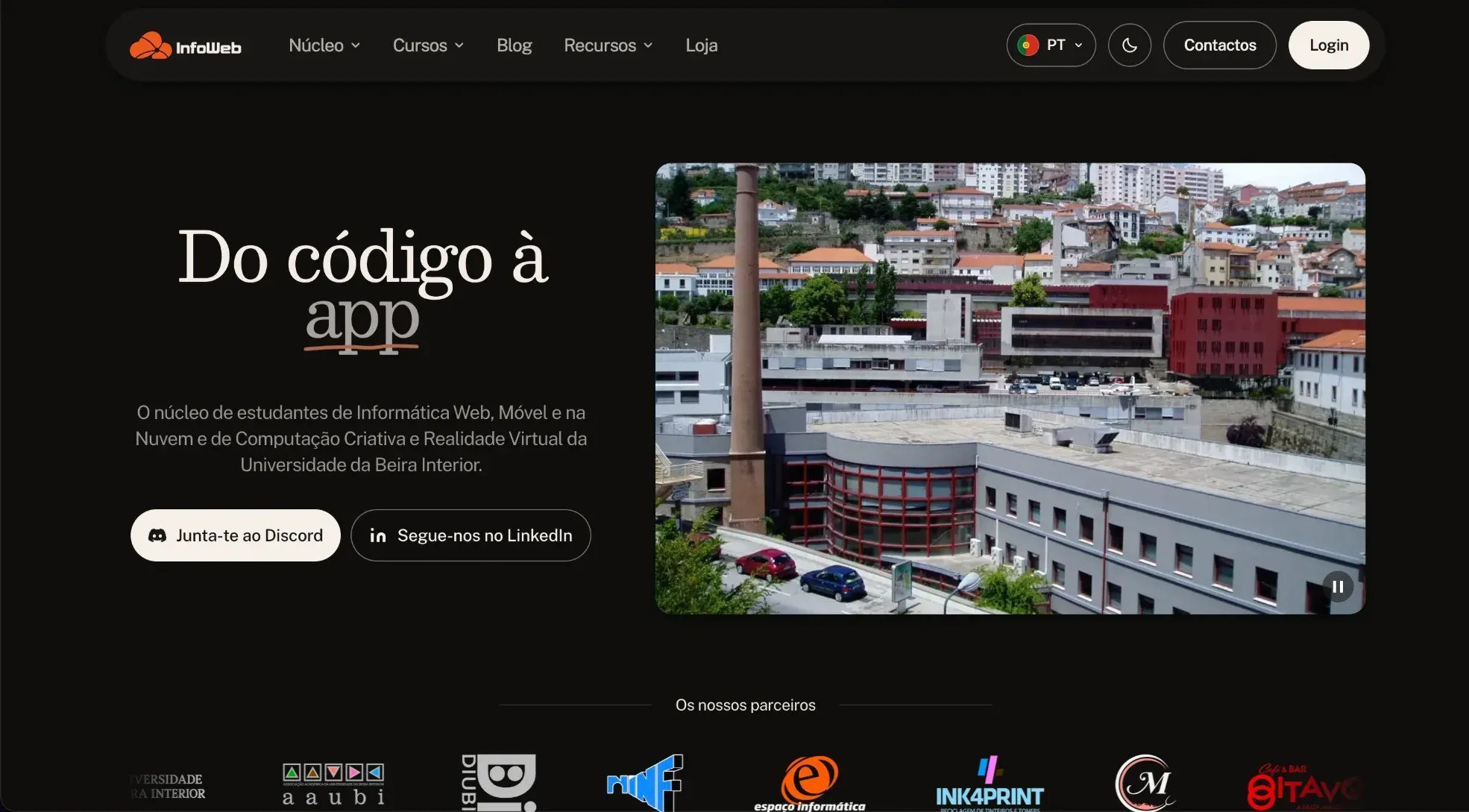
  • The website runs on the same infrastructure. I built its dark mode: it has the same design as light mode, follows the system preference and has a toggle in the navbar.
  • Daily backups of the databases and disks, and Better Stack monitoring the services from outside every 3 minutes, with a public status page so members can see if something is down.

Results

  • The association has its own services, all behind a single account, and every member can publish their own site.
  • The community has its own Minecraft and CS2 servers.
  • The website has been live at infoweb.pt since 4 October 2026, in three languages, with a blog, email subscriptions, a contact form and dark mode, tested with Vitest, Playwright and a matrix of 26 screen sizes.
  • In the worst case 24 hours of data are lost, and the infrastructure is documented, service by service, so the next team can carry it on.

Technologies

  • Oracle Cloud
  • Coolify
  • Docker
  • Traefik
  • Cloudflare
  • Authentik
  • Nextcloud
  • Stalwart
  • Pelican
  • PostgreSQL
  • Better Stack
  • Astro

Screenshots
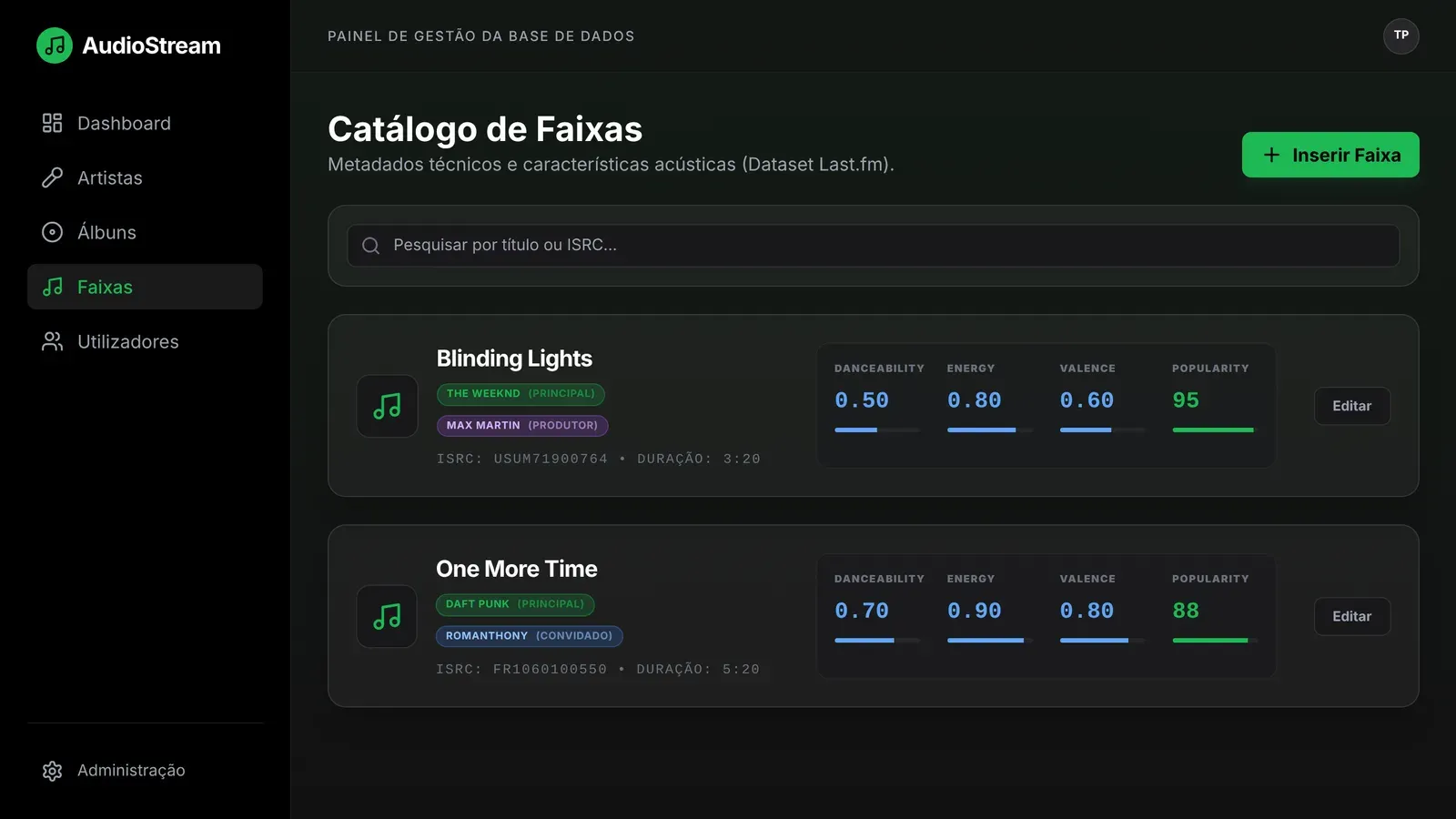
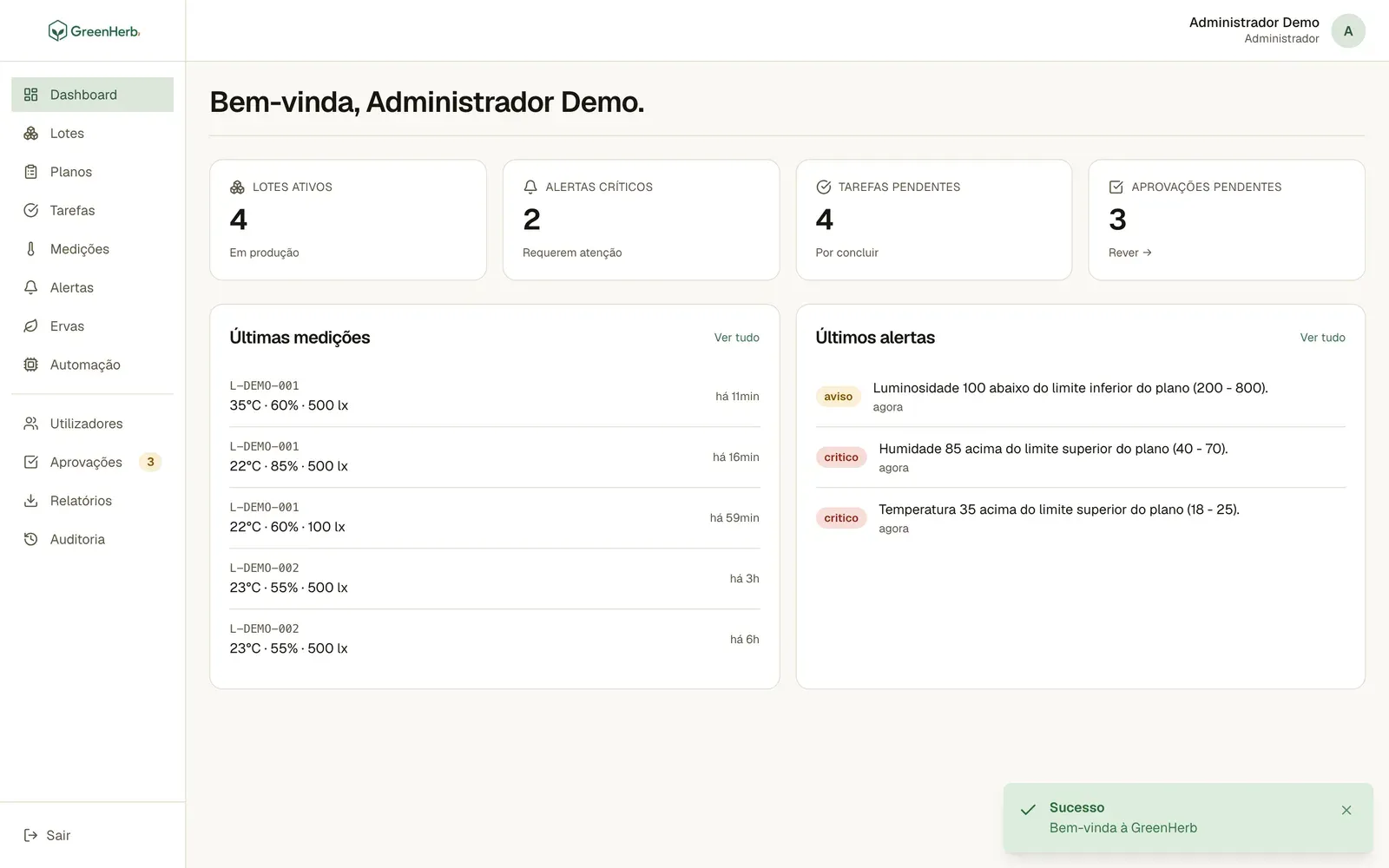
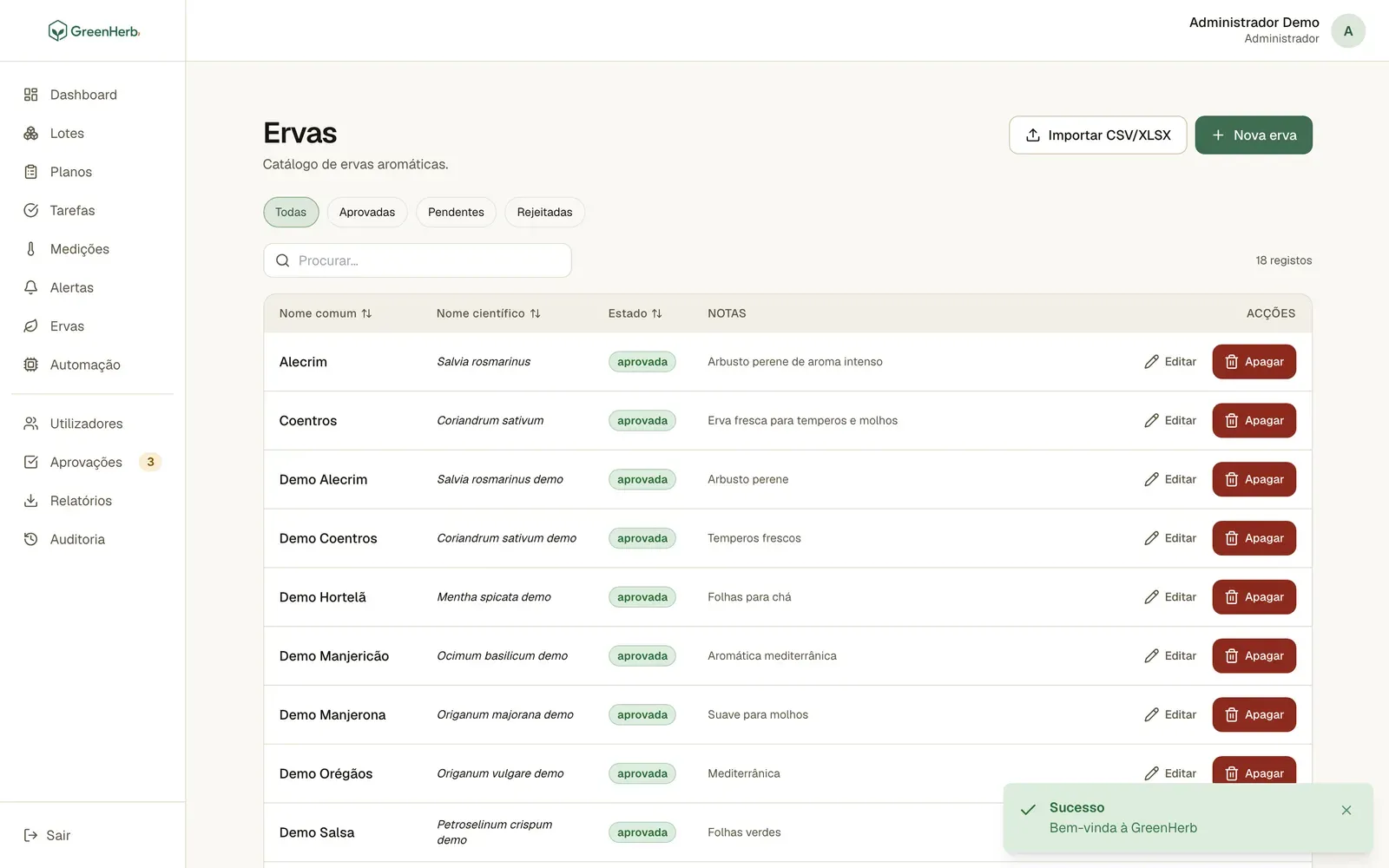
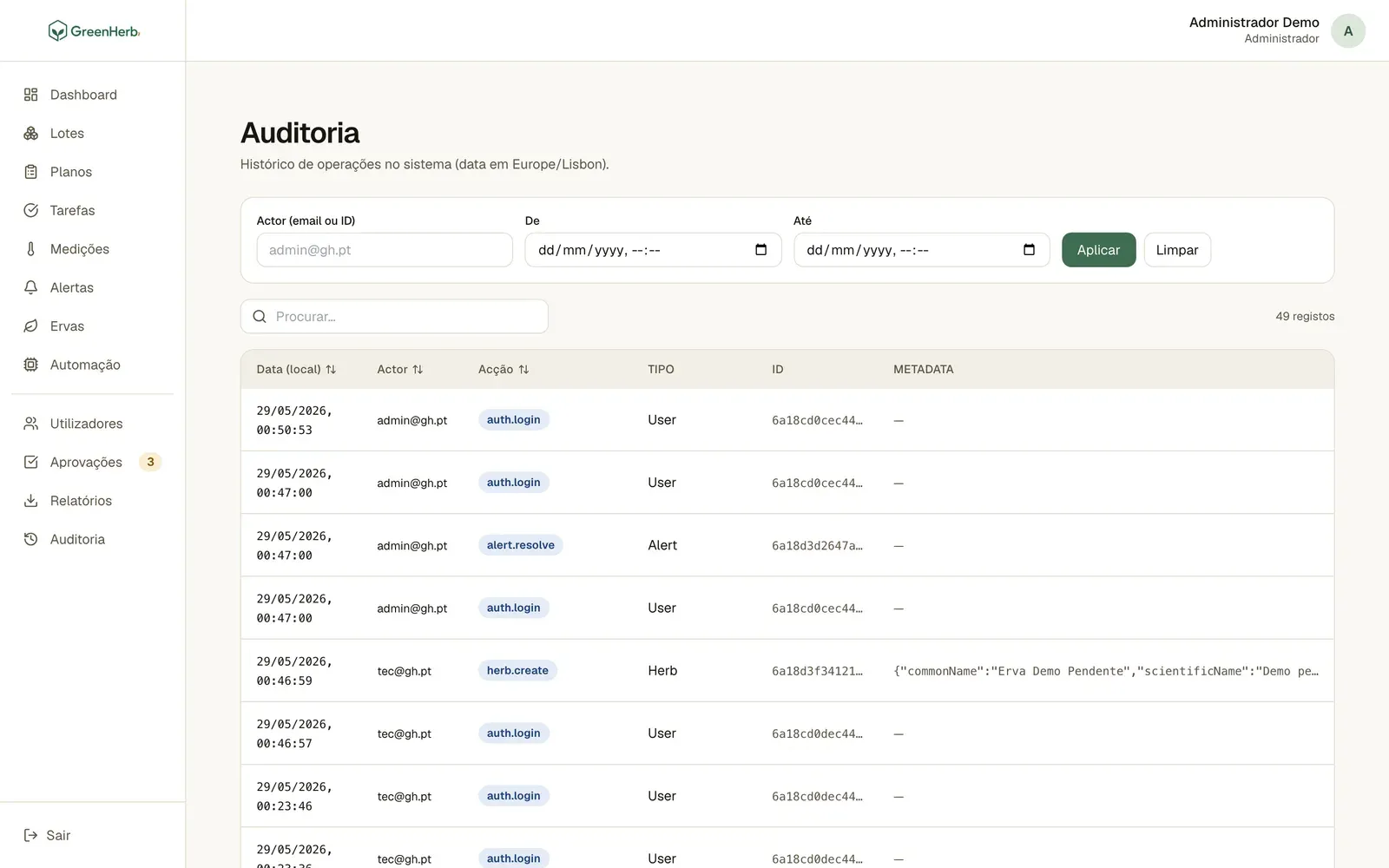
GreenHerb's main dashboard: active batches, critical alerts, pending tasks and approvals, the latest measurements and the latest alerts.

Group project, Server Programming · 2026

GreenHerb

RolePart of the backend and the APIs, with group mates

A web platform for running an aromatic herb greenhouse.

Key points

  • A REST API with three user roles and an approval queue.
  • Automatic alerts when a measurement goes outside the plan's limits.
  • It keeps working offline, thanks to a Service Worker.
  • Group project: I worked on part of the backend and the APIs.
Read the full case study

The final assignment for the Server Programming course (UBI, 2025/26), done in a group of three. The brief described a company that wanted to computerise the management of an aromatic herb greenhouse, growing things like basil, mint, rosemary and thyme. My part: I worked on part of the backend and developed the APIs.

Problem

  • The greenhouse needed to plan and monitor growing conditions (temperature, humidity and light) and the tasks for each batch.
  • The system is used by different roles with different permissions: greenhouse technicians, technical managers and administrators.
  • Changes made by technicians can't go in without review, and everything that changes has to be recorded.

Technical decisions

  • A REST API in Node.js and Express, with MongoDB (Mongoose). The contract is written in OpenAPI and there is a Postman collection to test it.
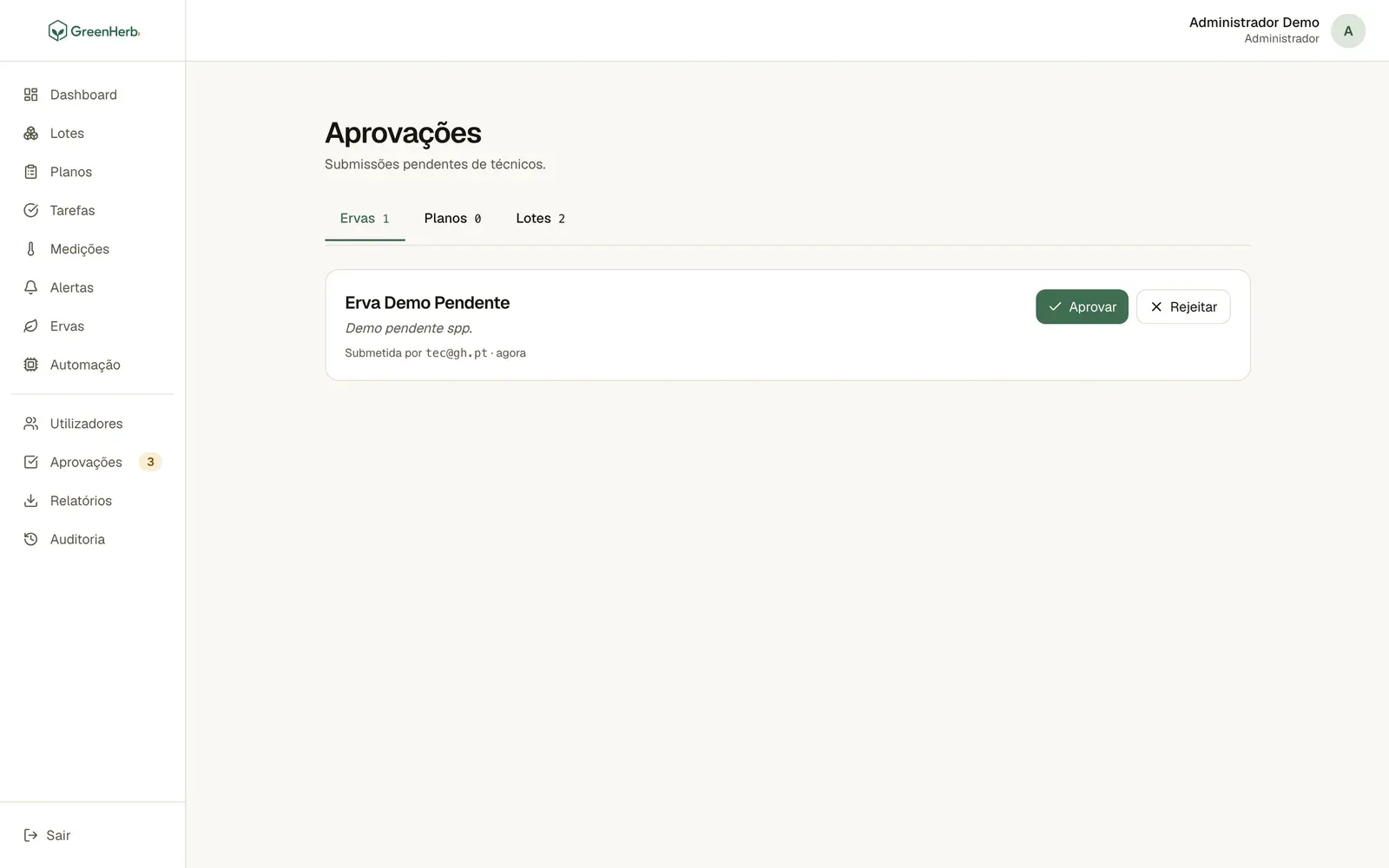
  • JWT authentication and role-based permissions enforced on the routes. Technicians' requests to create herbs, plans and batches go into an approval queue, and whoever approves or rejects writes down the reason.
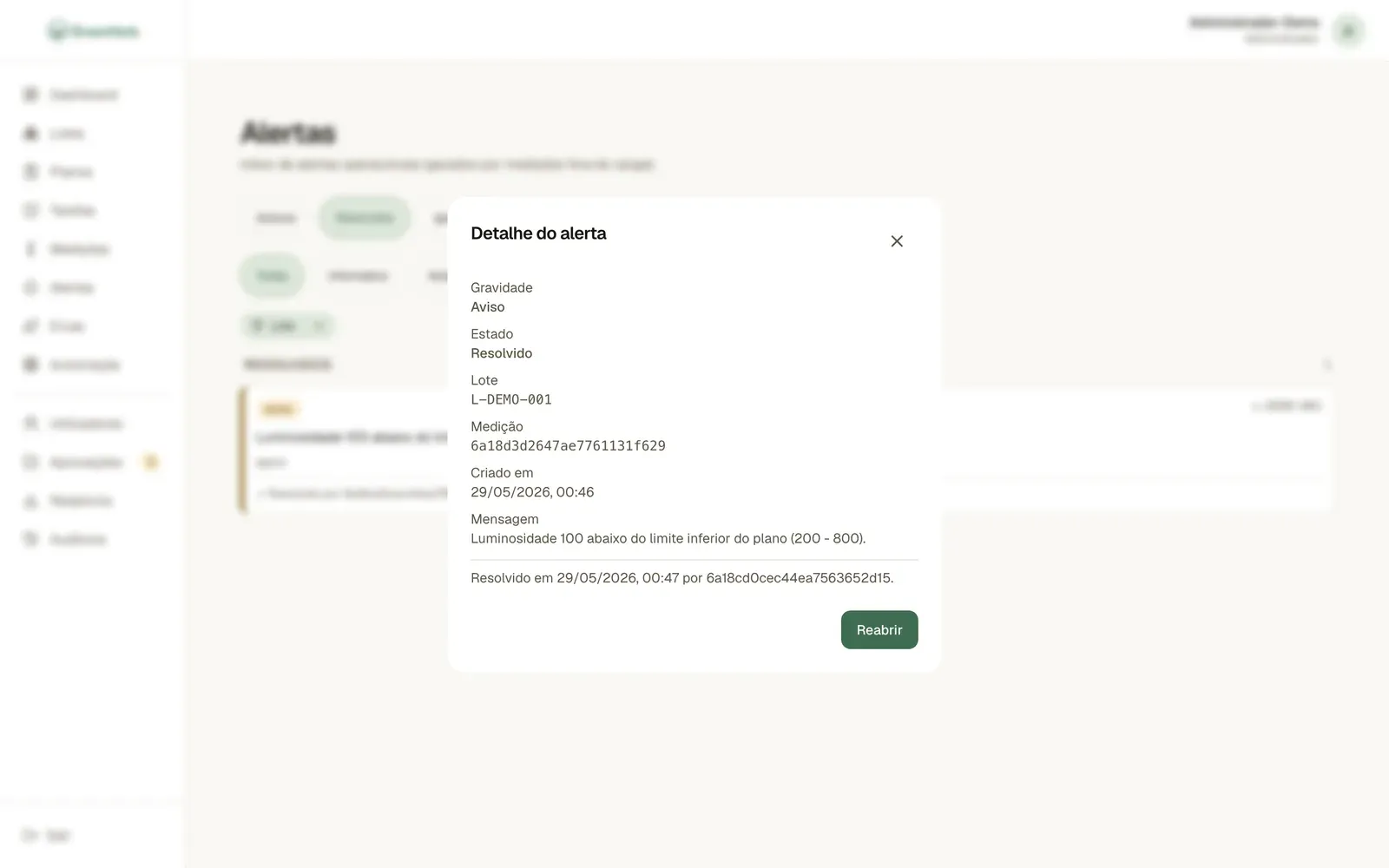
  • Measurements outside a plan's limits raise automatic alerts, and every action goes into an audit log with the before and after.
  • The frontend is plain HTML, CSS and JavaScript, with no framework. It uses IndexedDB, the Cache API and a Service Worker: offline, lists already viewed still show up and writes wait in a queue that is sent when the connection returns.
  • Everything starts with Docker Compose (API and MongoDB), with demo data to try it out.

Results

  • The application follows the brief's 12 functional requirements, from the herb catalogue to reports you can export as CSV and Excel.
  • It runs with Docker and comes with demo data, so whoever is marking it can try the whole flow, including the offline behaviour.
  • The repository includes the LaTeX report and screenshots of the main views.
Technologies

  • Node.js
  • Express
  • MongoDB
  • JWT
  • Docker
  • OpenAPI
  • Service Worker

Screenshots
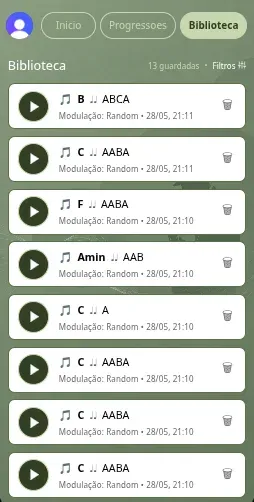
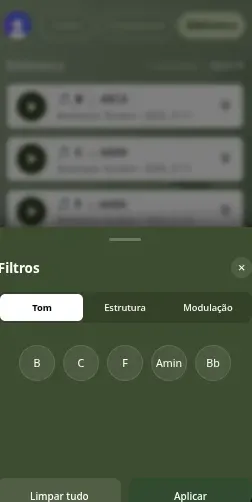
GenJazz, Library tab: 13 saved progressions, each with a play button, the key, the structure, the modulation, the date and a delete button.
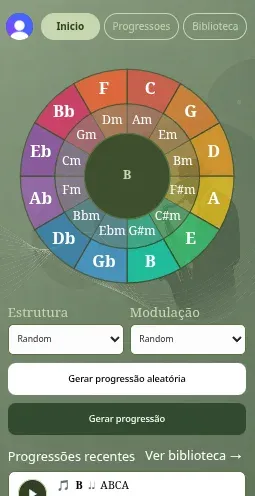
GenJazz, Home tab: the key wheel, structure and modulation, the buttons to generate a progression and the recent progressions.
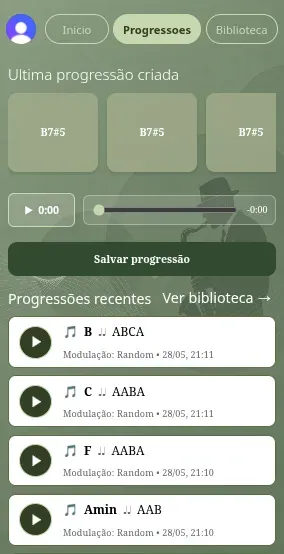
GenJazz, Progressions tab: the latest progression as chord cards, the audio player, the Save progression button and the recent progressions.

Group project, Human-Computer Interaction · 2026

GenJazz UI

RoleMost of the project, from backend to frontend, with group mates

The interface for an app that generates jazz chord progressions.

Key points

  • From a Figma prototype to a React app.
  • The key is picked on an SVG wheel, and a single player plays every track.
  • Sign-in with the UBI account.
  • Every change from the prototype justified by a usability heuristic.
Read the full case study

The interface for Generative Jazz, an app that generates jazz chord progressions. It was the practical assignment for Human-Computer Interaction (UBI, 2025/26), done in a group of three: we designed the prototype in Figma first, then built it in React, connected to the GenJazz API. My part: I handled most of the project, from backend to frontend.

Problem

  • Generating a progression means choosing a key, a structure and a modulation, and the result has to be something you can listen to and save, all on a phone screen.
  • The Figma prototype was static: it lacked sign-in, a working audio player and account management.
  • Changes from the prototype had to be justified with the course's usability heuristics.

Technical decisions

  • You choose the key on a wheel drawn in SVG.
  • The library filters went from an always-visible bar to a panel that slides up from the bottom, with tabs and large buttons instead of checkboxes. It frees up screen space and gives bigger touch targets.
  • There is a single audio player: tapping a song in the library opens it in the progressions tab, and the same player serves every track.
  • Some of the greens in Figma were darkened so white text meets the minimum WCAG contrast.
  • Sign-in uses Clerk with the UBI Microsoft account, which brought in a profile button the prototype had not planned for.

Results

  • The app generates progressions, plays them as MP3, saves, lists and deletes them, with sign-in through the UBI account. All the planned features are done.
  • Every change from the prototype is justified in the README, with the usability heuristic behind it.
  • Handed in in May 2026, with a report and a presentation.

Technologies

  • React
  • React Router
  • Clerk
  • Figma

Screenshots
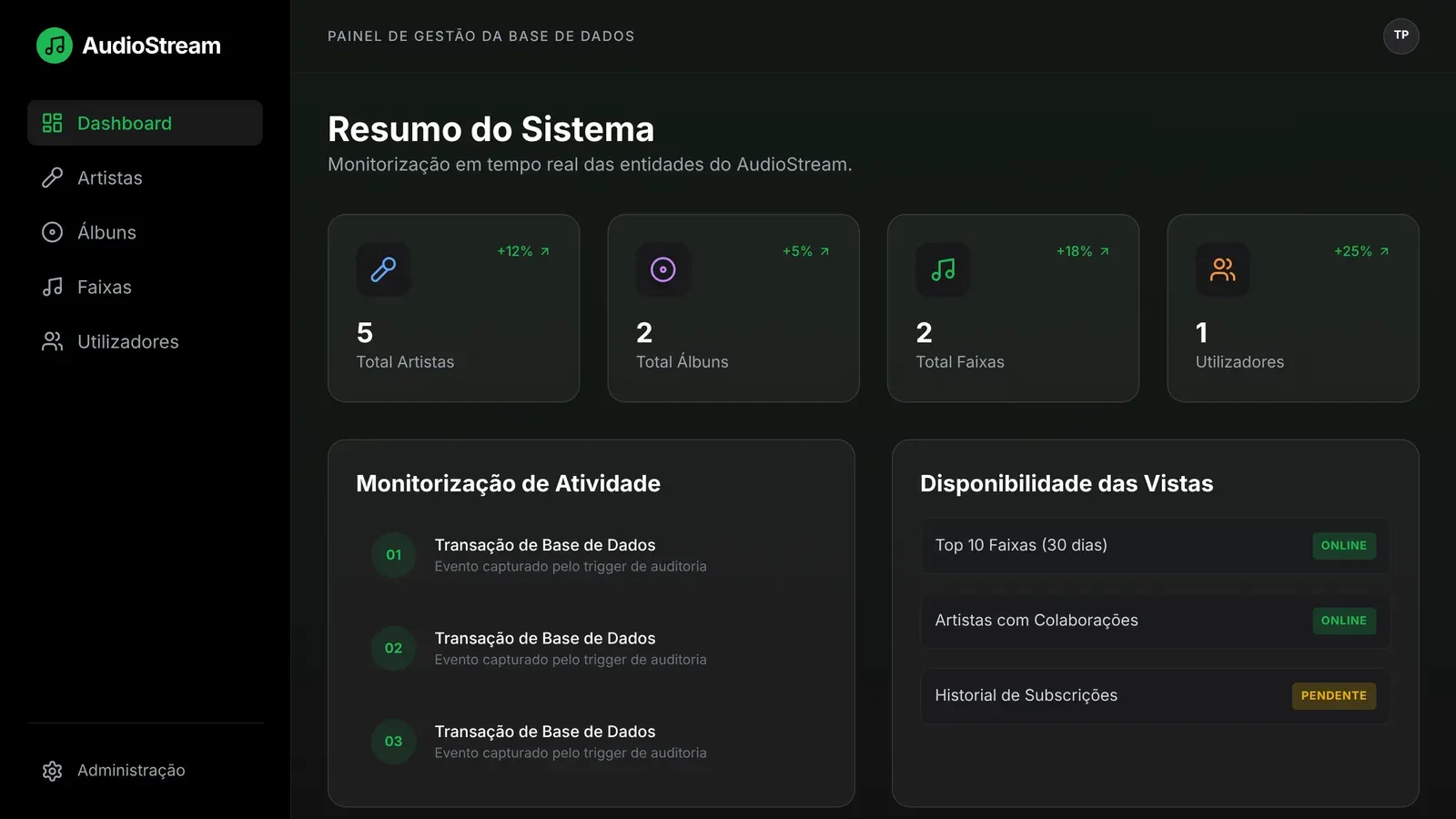
AudioStream dashboard: totals of artists, albums, tracks and users, the database activity and the status of the views.

Group project, Databases · 2026

AudioStream

RoleManagement panel prototype in React, with group mates

Database model and management panel for a music streaming platform.

Key points

  • Entity-relationship and relational model of a music streaming platform.
  • A management panel in React and TypeScript, with a simulated database.
  • A dashboard and pages for artists, albums, tracks and users.
  • Group project: I built the panel prototype.
Read the full case study

A databases project on a music streaming platform, from a brief with detailed requirements: the entity-relationship and relational models, and a prototype of the management panel. My part: I built the panel prototype, in React, which simulates the SQL database.

Problem

  • The brief described a streaming platform with users, artists, albums, tracks, playlists, plays and subscriptions, and asked for a data model faithful to every requirement.
  • Some requirements hid modelling decisions: which are the natural keys, where the attributes of the associations go and how to keep the history.
  • The management panel had to match the relational model described in the report.

Technical decisions

  • The email is the primary key of the user and the ISRC (the international recording code) is the one for the track, because the brief defines them as unique identifiers.
  • An artist's role on a track (for example guest or producer) is an attribute of the artist-track association, and the position and date added are attributes of the playlist-track association.
  • The key for plays is a BIGINT, because on a platform with millions of users an INT would run out.
  • Genres form a hierarchy (a recursive self-relationship), each user-track pair only allows one active reaction (a composite key) and the subscription history is an entity of its own.
  • The audit of subscriptions is generated by a database trigger and not by the application. In the panel, a test service simulates the SQL database, including the views (artists with no album, collaborations between artists and subscription history), and the TypeScript types mirror the tables.

Results

  • The model is documented in a report, with the entity-relationship diagram and the relational schema.
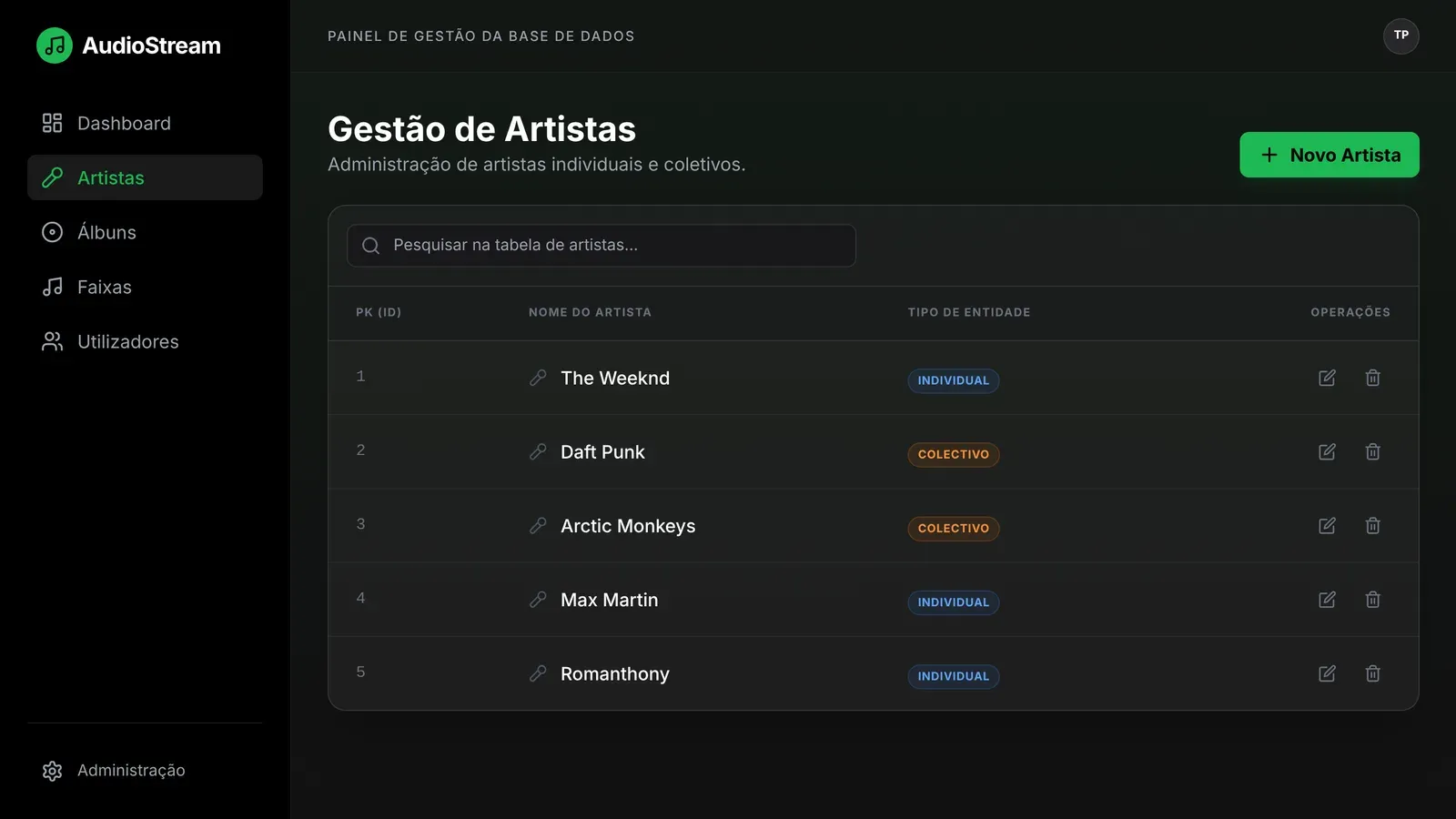
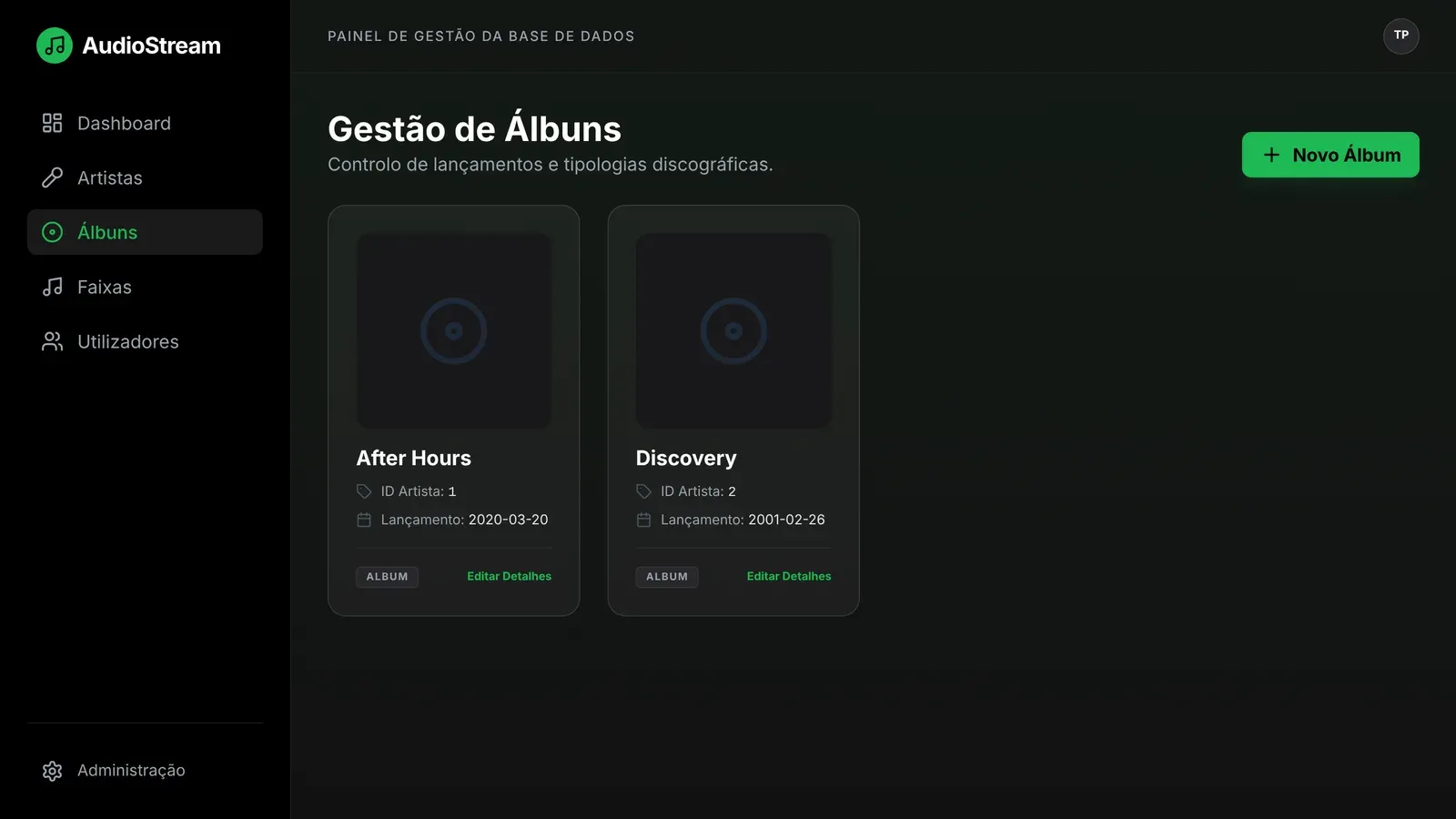
  • The panel has a dashboard and pages for artists, albums, tracks and users. You can already create and delete artists; on the other pages the listings are done and editing was left to wire up.
  • The panel part was finished on 28 May 2026.

Technologies

  • React
  • TypeScript
  • Tailwind CSS
  • Vite
  • React Router

Screenshots
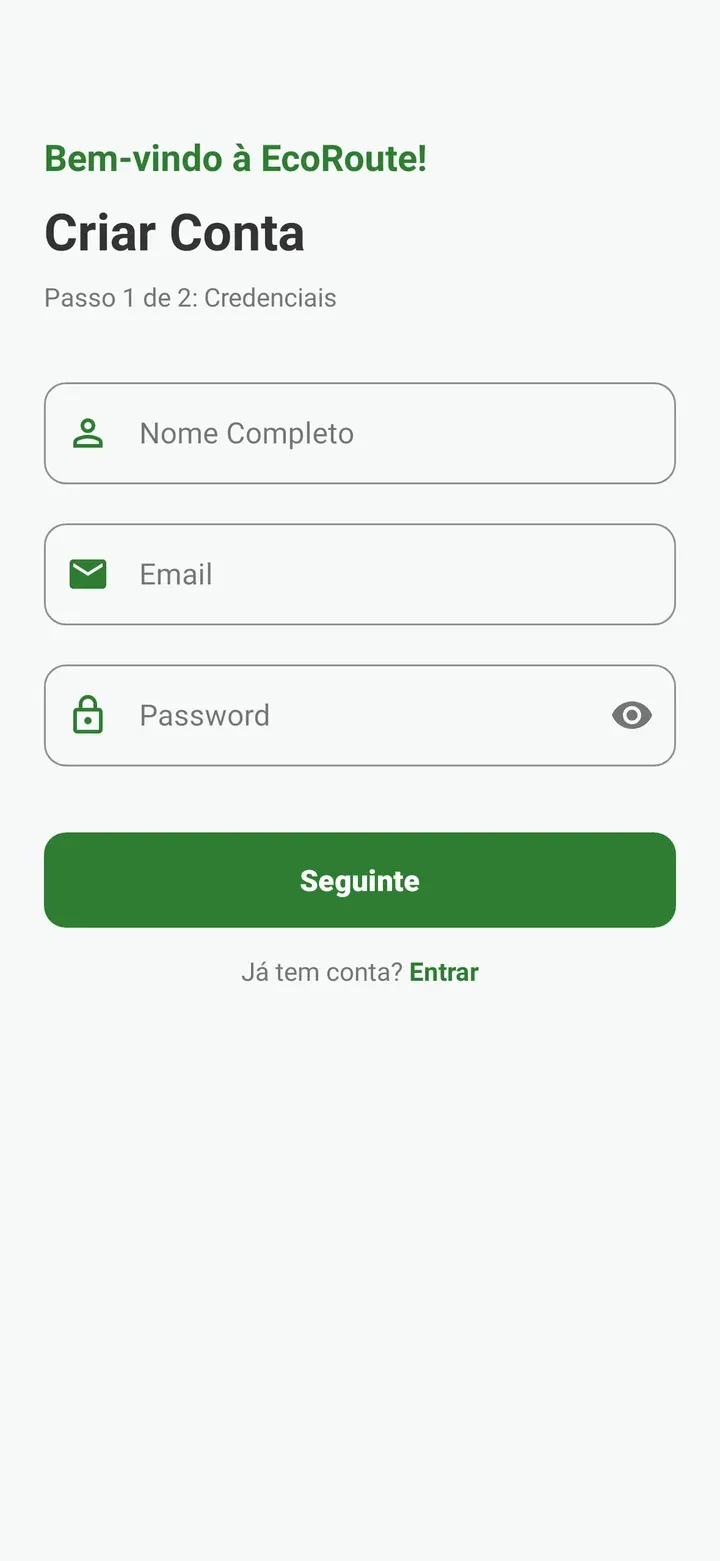
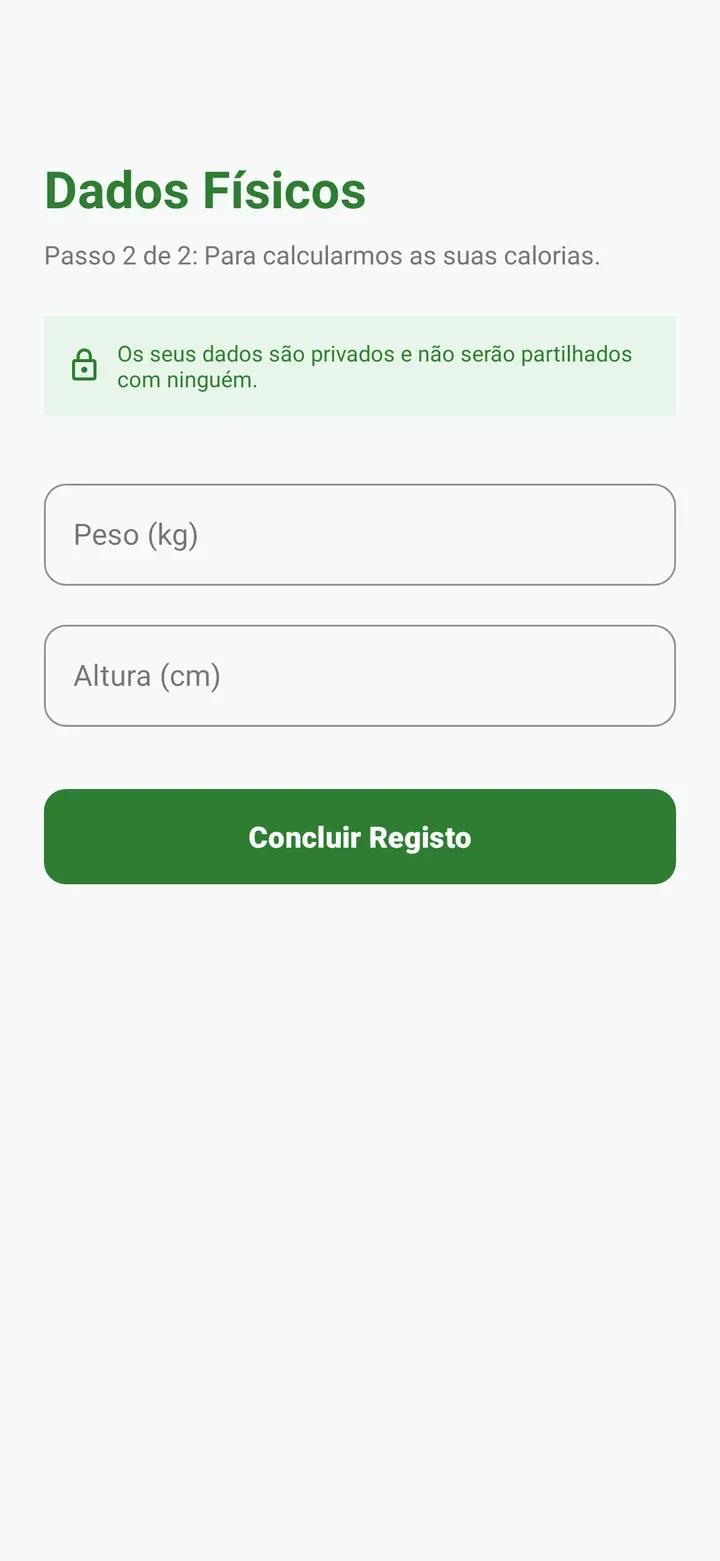
EcoRoute, create an account, step 1 of 2: full name, email and password, the Seguinte (Next) button and the link to sign in.
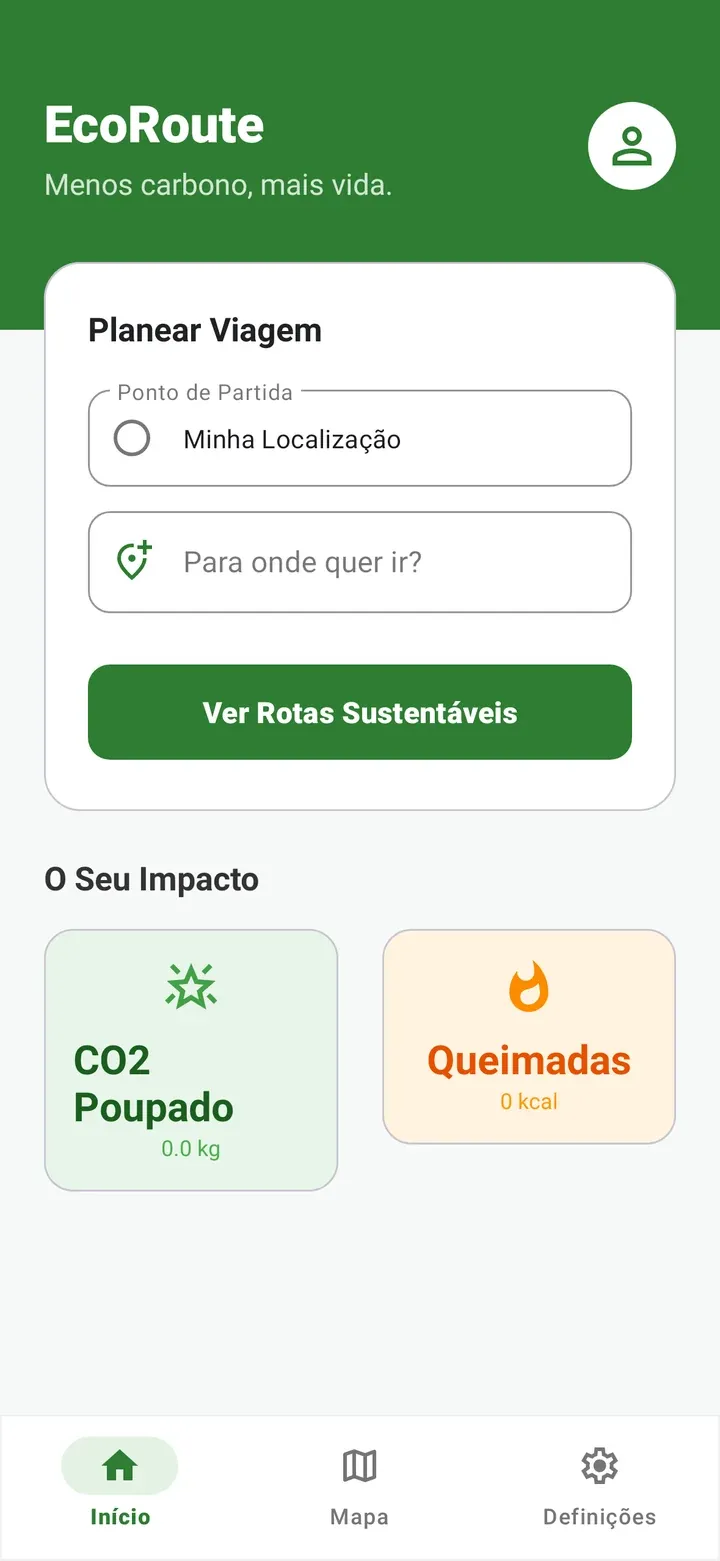
EcoRoute home screen: the Planear Viagem (Plan a trip) card with the starting point (my location) and the destination, the button to see sustainable routes, the totals of CO2 saved and calories burned (at zero, not signed in) and the Home, Map and Settings navigation.
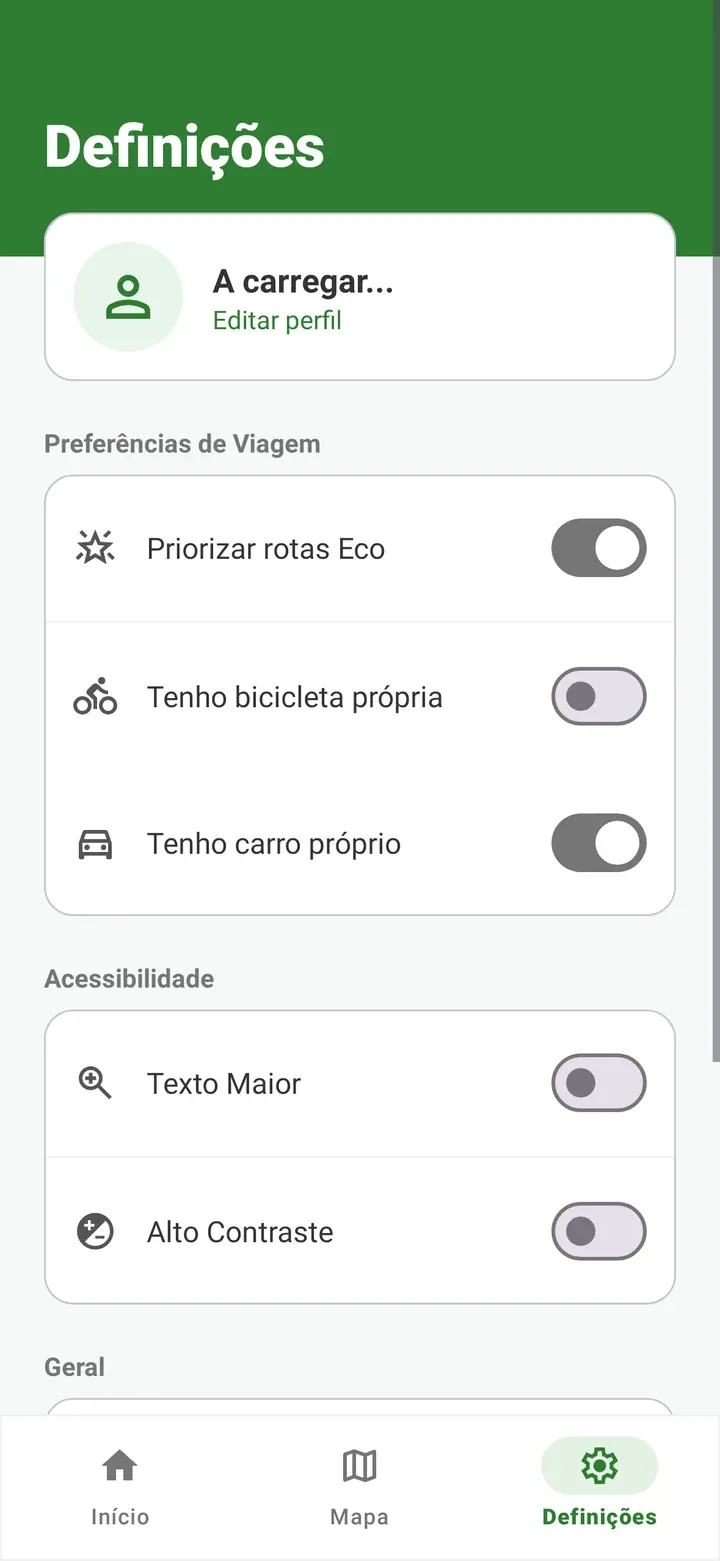
EcoRoute settings: travel preferences (prioritise eco routes, own bike, own car), accessibility (larger text, high contrast) and the Home, Map and Settings navigation.

Group project, Mobile App Development · 2025

EcoRoute

RoleBackend and API connections, with group mates

An Android app that encourages sustainable travel.

Key points

  • Compares walking, cycling, bus and car by CO2 and calories.
  • Routes on the map and destination search with Google Maps.
  • Account, profile and trip history in Firebase.
  • Group project: I built the backend and the API integration.
Read the full case study

EcoRoute is an Android app that encourages sustainable travel: it compares walking, cycling, taking the bus and driving by CO2 saved and calories burned. It was the practical assignment for Mobile App Development, done in a group of three. My part: I did the backend and the connection to the APIs.

Problem

  • The app wanted to encourage sustainable travel by comparing the means of transport for a route by the CO2 saved and the calories burned.
  • To work out calories it needs the user's profile (weight and height) and, to compare, the distance of each route.
  • Each user needs an account, a profile and a trip history that does not get lost.

Technical decisions

  • Firebase Authentication handles sign-up and sign-in, and Firestore (a NoSQL database) stores the profiles and the trip history.
  • The Google Maps SDK shows the map and the routes, the Places API handles destination search and autocomplete, and the location services give the current position.
  • Calories are worked out from the distance and the user's weight, and the CO2 saved compares each means of transport with the car.
  • The app is native, in Java, in Android Studio.

Results

  • The app plans routes on the map, compares walking, cycling, bus and car, and keeps a trip history with accumulated statistics.
  • It has a profile (weight, height and transport preferences), authentication and settings, such as text size.

Technologies

  • Java
  • Android Studio
  • Firebase
  • Google Maps
  • Places API

Screenshots
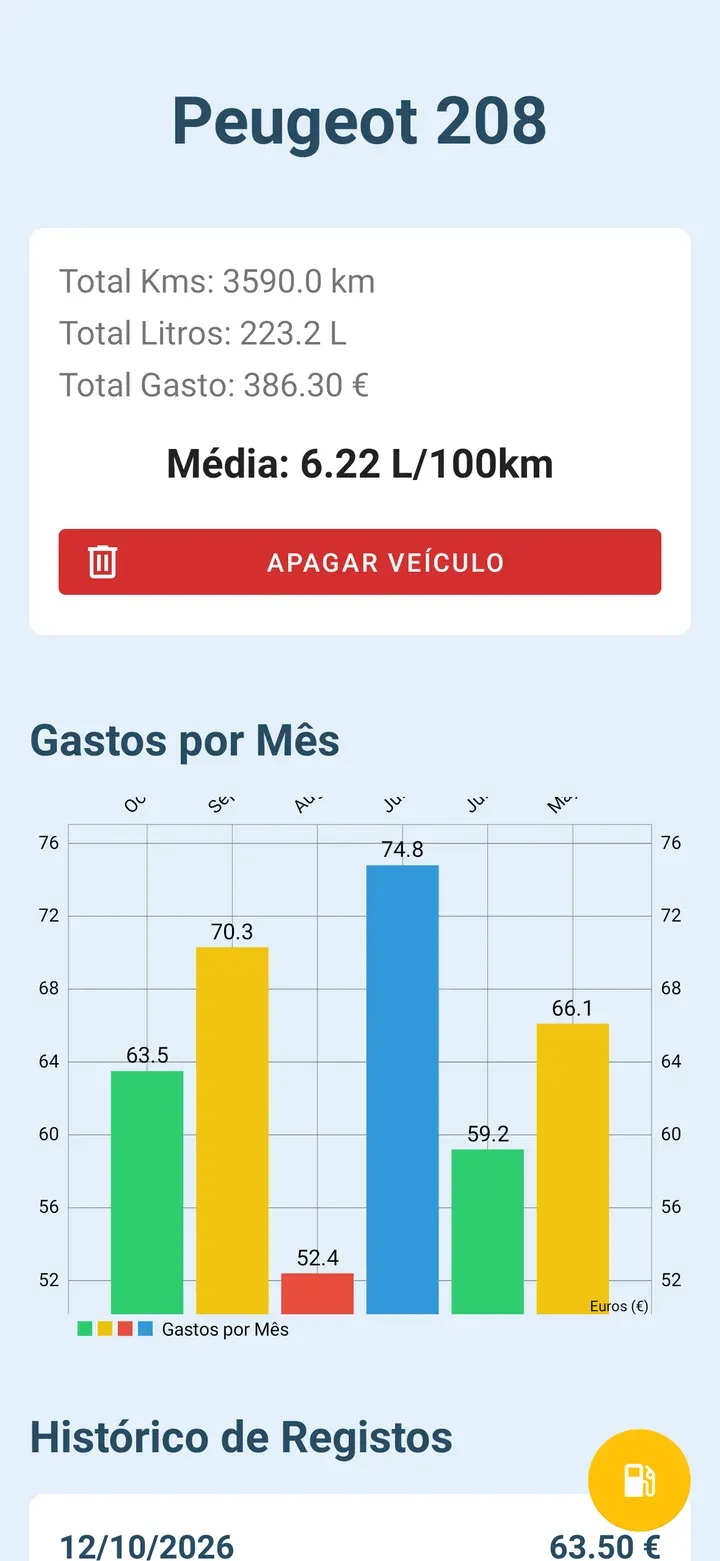
Bomba & Ficha, details of a Peugeot 208: total kilometres, litres and spending, the 6.22 L/100 km average, the Apagar veículo (Delete vehicle) button and a bar chart of spending per month.
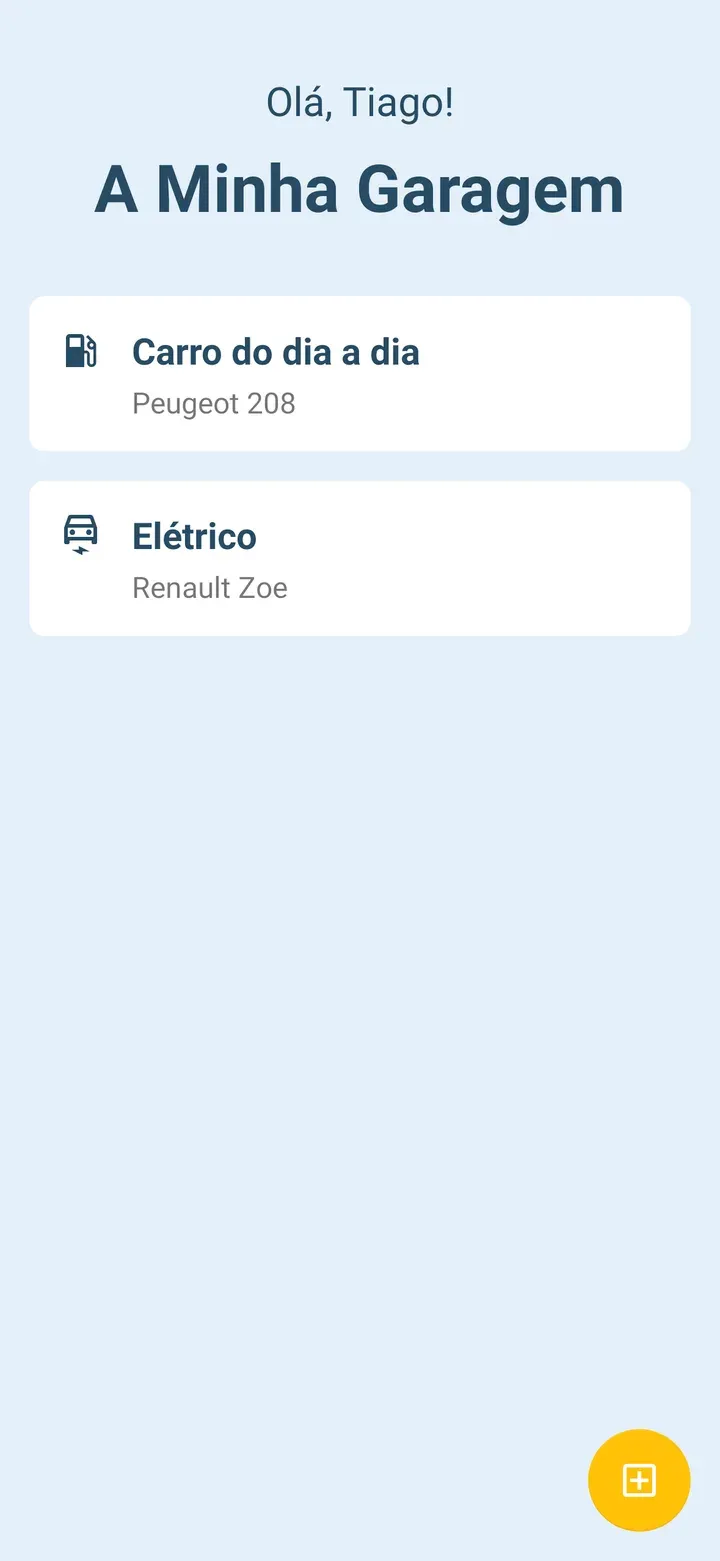
Bomba & Ficha, A Minha Garagem (My garage): the greeting "Olá, Tiago!" and two vehicles, a Peugeot 208 and an electric Renault Zoe, with the button to add another.
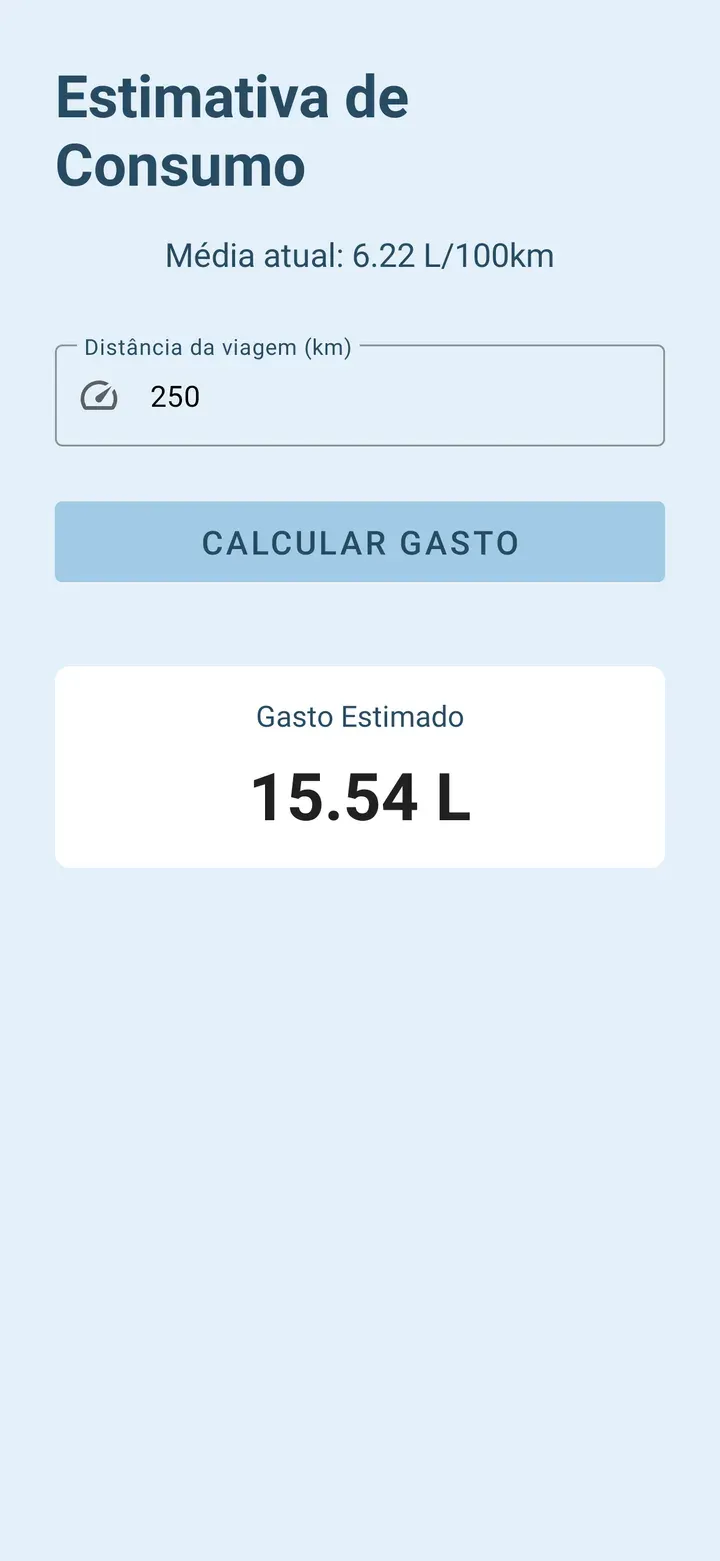
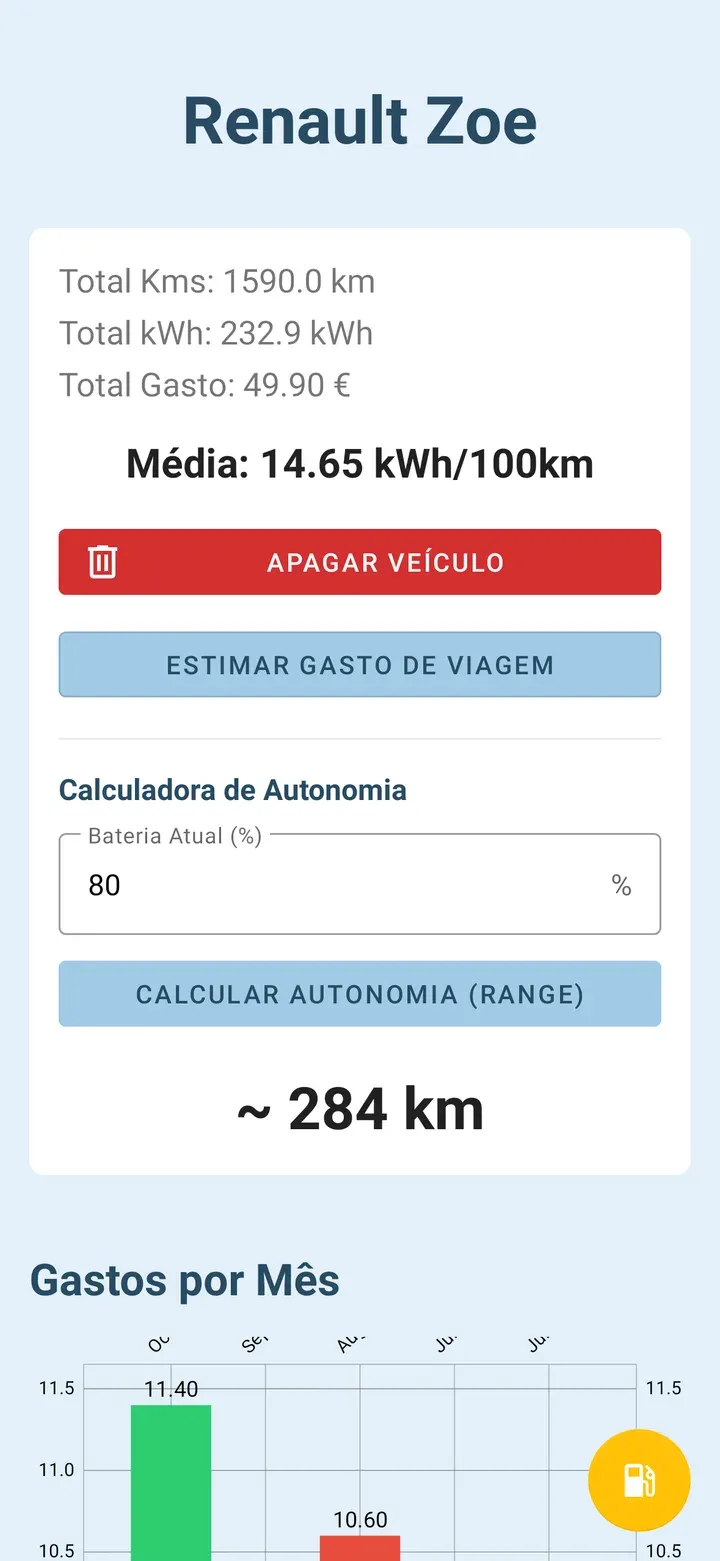
Bomba & Ficha, details of a Renault Zoe: totals in kWh, the 14.65 kWh/100 km average, the button to estimate a trip's cost and the range calculator, which gives about 284 km with the battery at 80%.

Individual project, Mobile Device Programming · 2025

Bomba & Ficha

RoleIndividual project, done by me

An Android app for managing petrol and electric cars in the same garage.

Key points

  • Petrol and electric cars in the same garage.
  • Switches between litres and kWh on its own, depending on the car.
  • Monthly spending charts and estimated range for electric cars.
  • Everything stored on the phone, with Room (SQLite).
Read the full case study

The final project for Mobile Device Programming: a native Android app, in Java, to manage petrol and electric cars in the same garage, with a history of refuelling and charging, spending charts and tools made for electric cars.

Problem

  • Anyone with petrol and electric cars needs to manage them in one place, with different units: litres and L/100 km for one, kWh and kWh/100 km for the other.
  • Traditional fuel calculators do not handle electric cars, and people who drive them want to know how much range they have left.
  • The data has to be stored on the phone, and the app cannot freeze while it reads or writes.

Technical decisions

  • Room (SQLite) stores the vehicles and the refuelling records in a one-to-many relationship, with foreign keys and cascading deletes. Simple preferences go in SharedPreferences.
  • The app switches between litres and kWh by itself, depending on the selected car.
  • Every database operation runs on background threads (ExecutorService), so the interface never freezes.
  • Range is worked out from the current battery percentage and the driver's historical average consumption.
  • The model is freemium: it has AdMob banners and the Google Play Billing structure prepared for a Pro version.

Results

  • The app manages several vehicles, petrol and electric, with a refuelling history that can be added to, edited and deleted.
  • It shows total spent, average consumption and bar charts of monthly spending.
  • For electric cars, it calculates the estimated range and predicts the cost of a trip.

Technologies

  • Java
  • Android Studio
  • Room
  • SQLite
  • MPAndroidChart

Screenshots
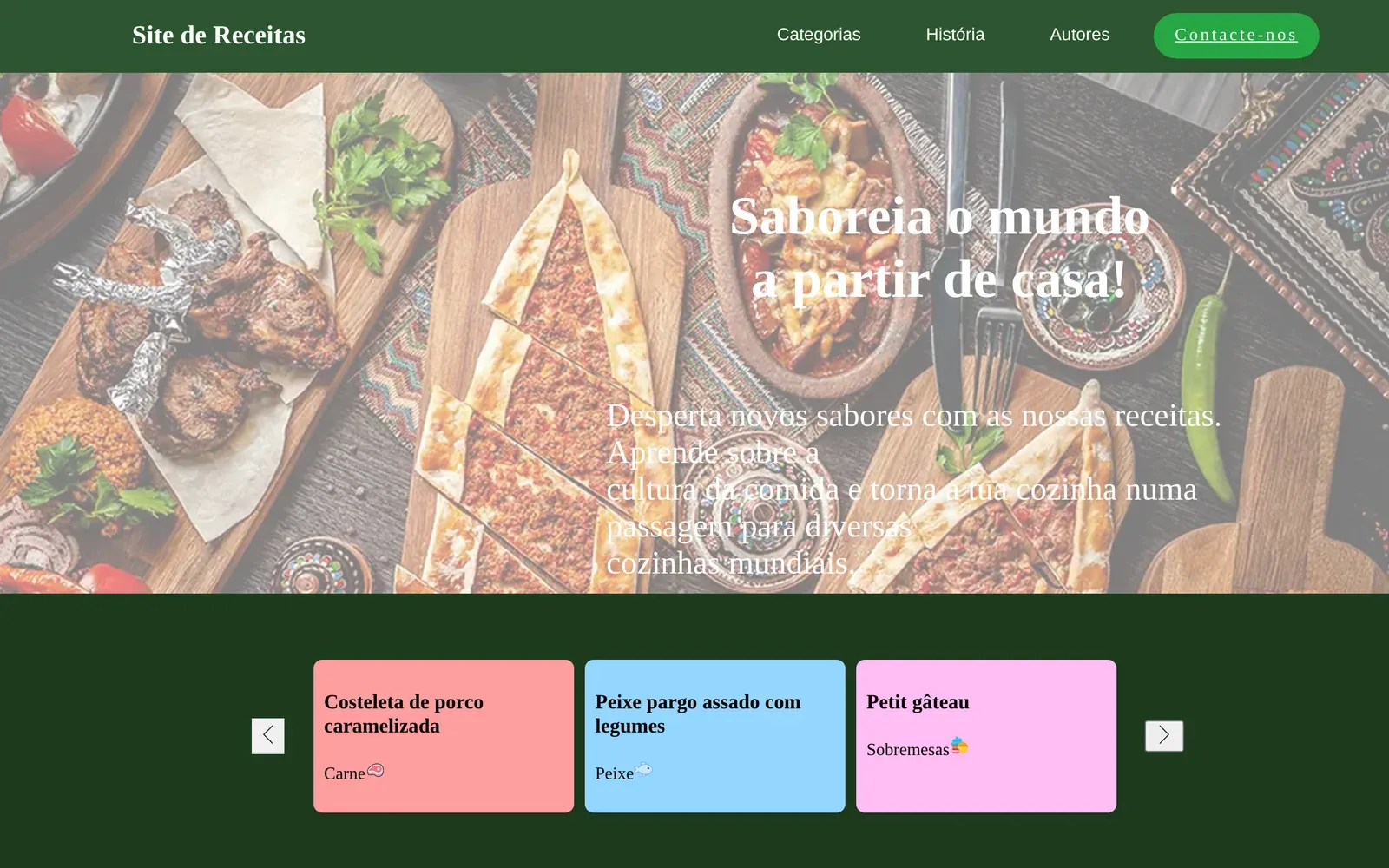
World of Recipes home page: the green bar with Categorias, História, Autores and Contacte-nos (Categories, History, Authors, Contact us), the heading "Saboreia o mundo a partir de casa!" (Taste the world from home) over a photo of dishes, and a carousel with three recipes.

Pair project, HTML and CSS · 2025

World of Recipes

RoleDone as a pair: my colleague designed the Figma prototypes and I built most of the code

A recipe website in plain HTML5 and CSS3, built with a group mate.

Key points

  • Plain HTML5 and CSS3, no frameworks.
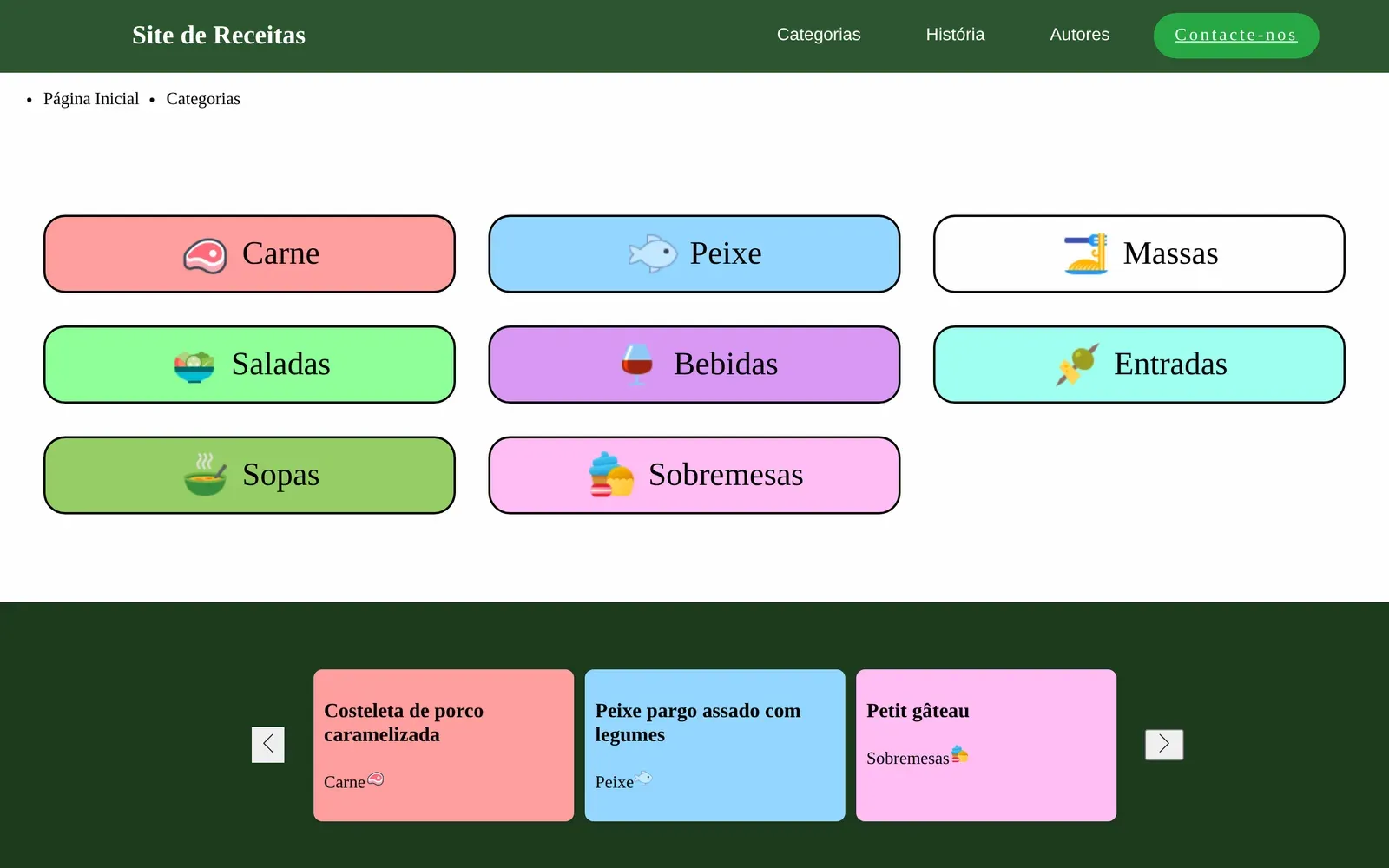
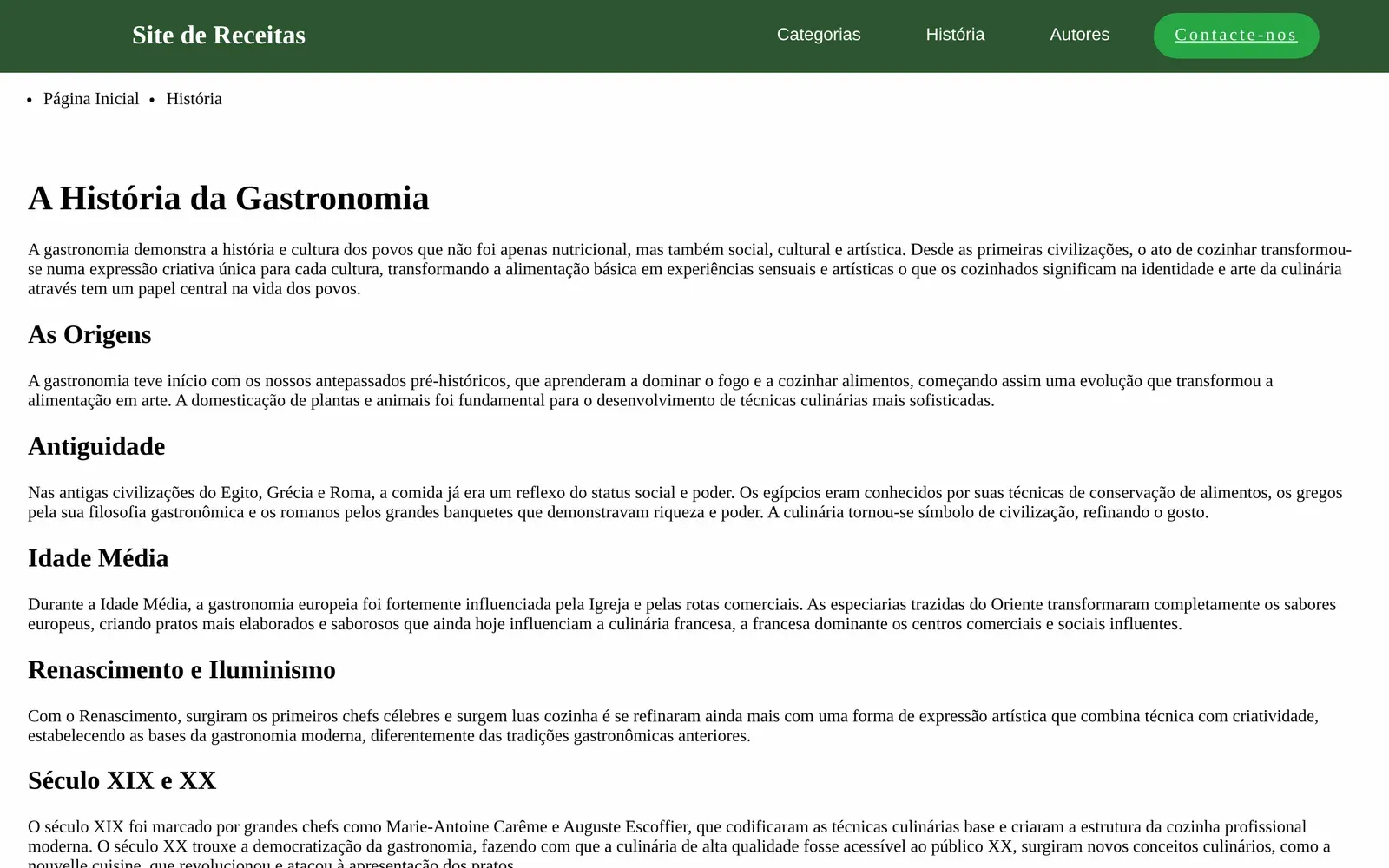
  • Categories, a page for each recipe and the history of gastronomy.
  • Grids with CSS Grid and alignment with Flexbox.
  • Done as a pair: I built most of the code.
Read the full case study

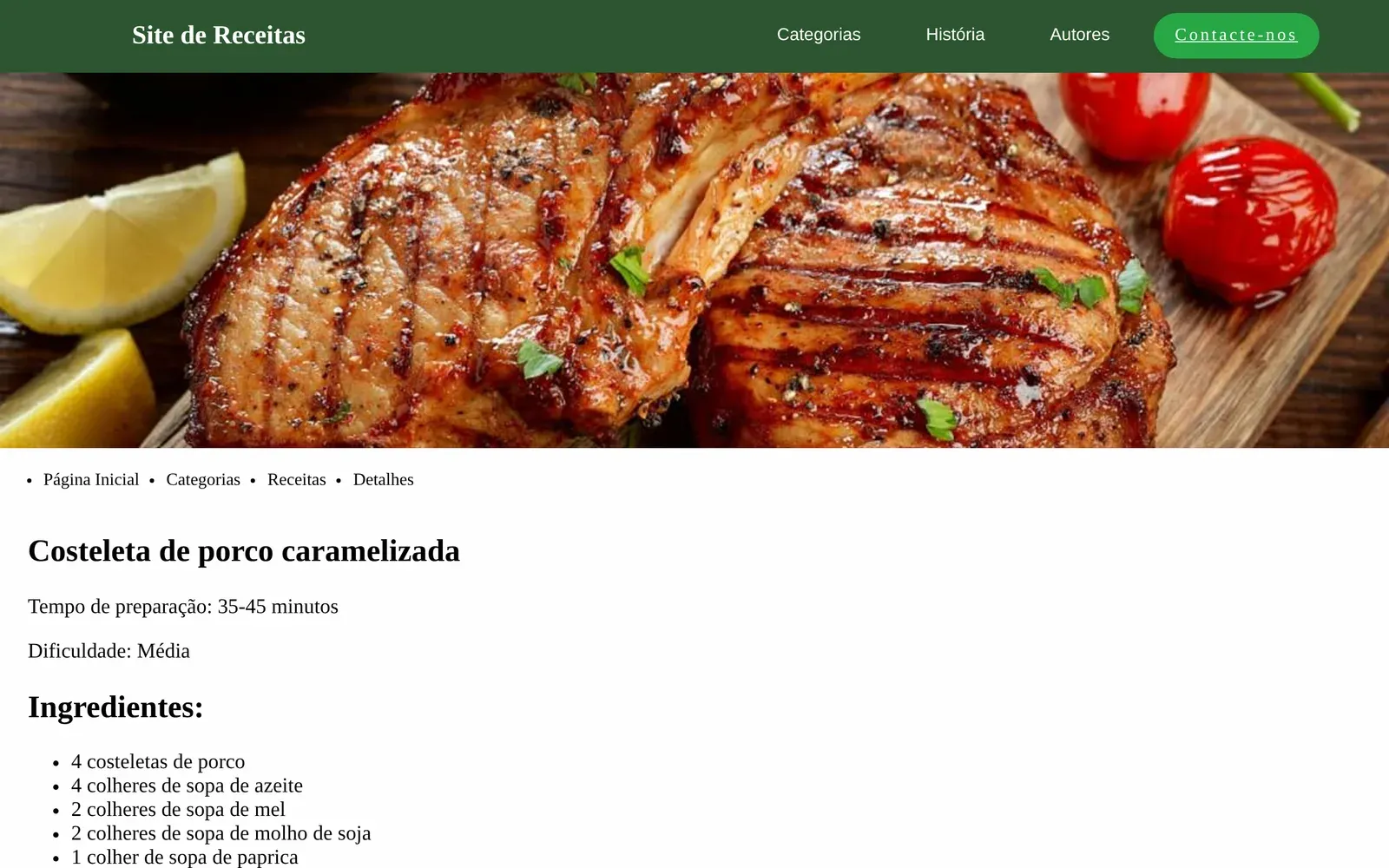
A recipe website in plain HTML5 and CSS3, no frameworks, built as a pair with a colleague. It has a home page, categories, a page for each recipe, a page on the history of gastronomy and a contact page with a form.

Problem

  • The goal was to build a multi-page website with only HTML5 and CSS3, no frameworks, semantic, accessible and visually consistent.
  • The site had to bring together recipes, their categories, the detail of each recipe and a text on the history of gastronomy.

Technical decisions

  • The structure uses semantic tags, such as <nav>, <section> and <footer>.
  • CSS Grid lays out the recipe cards and the categories, and Flexbox handles the navigation bar, the footer and centring.
  • Each page has its own stylesheet, and there is a shared one for the global style and the home page, to separate concerns.
  • Google Analytics (GA4) measures traffic.

Results

  • The site has a home page with a hero section and featured recipes, a page on the history of gastronomy, recipe categories, a detail page with ingredients and preparation, and a contact page with a form.
  • It uses no framework. It does not yet adapt to small screens: the code has no media queries.

Technologies

  • HTML5
  • CSS3
  • CSS Grid
  • Flexbox

Screenshots
Group project, virtual reality · 2026

Virtual reality game

RoleGroup project, in a group of five

A virtual reality game for the Meta Quest 3 headset.

Key points
  • A virtual reality game for the Meta Quest 3 headset.
  • The setting is a 3D scan of my house.
  • Built in Unity, in a group of five.
Read the full case study

A virtual reality game for the Meta Quest 3 headset, made in Unity by a group of five. We started from a 3D scan of my house and turned it into a VR game.

Problem

  • The assignment was to make a 3D scan of a space and turn it into a virtual reality game.

Technical decisions

  • We used Unity and the Meta Quest 3 headset.
  • The space we scanned was my house.

Results

  • A virtual reality game for the Meta Quest 3, set in the 3D scan of my house.

Technologies

  • Unity
  • Meta Quest 3